labvanced logoLabVanced
Contact
    • Remote Physiological Measurements
    • Eye Tracking
    • Head & Face-Tracking
    • Emotion Detection
    • Heart Rate Detection (rPPG)
    • Generative AI
    • Audio Transcription
    • EEG & Hardware Integrations
    • Decision Making
    • Reaction Times
    • Keyboard Inputs
    • Mouse Tracking
    • Mobile / Touch
    • Questionnaires
    • Gamepad / Joystick Integration
    • Audio Recordings
    • Audio Transcription
    • Video Recordings
    • Screen Recordings
    • Photos / Snapshots
    • Video Conferencing
    • Canvas Drawings
    • Build with AI
    • Build with Spreadsheets
    • Using the Experiment Editor
    • Coding
    • Creating Questionnaires
    • Balancing & Randomization
    • UX & Website Testing
    • Single Session Studies
    • Factorial Designs
    • Longitudinal & Multi-session Studies
    • Individual & Case Studies
    • Real-time Multi-user Studies
    • Interviews & Video Calls
    • Surveys & Questionnaires
    • Experience Sampling & Diaries
    • Classroom & Group Testing
    • Interventions & Clinical Trials
    • In the Browser
    • Mobile App
    • Desktop App
    • WebBridge Chrome Extension
    • Stroop Test
    • Flanker Task
    • N-back Task
    • Implicit Association Test
    • Trail Making Test
    • Digit Span
    • Corsi Block Tapping
    • Tower of London
    • Balloon Analog Risk Task
    • Preferential Looking
    • Browse more →
    • DASS-21
    • GAD-7
    • Rosenberg Self-Esteem Scale
    • PHQ-9
    • Ten-Item Personality Inventory
    • Big Five Personality Test
    • Adult ADHD Self-Report Scale
    • Browse more →
    • Building a Multi-user Study
    • Webcam Eye Tracking with AOIs
    • Website Frame Eye Tracking
    • Conditional Eye Tracking Opt-in
    • ChatGPT Study
    • Desktop App Study with EEG
    • Between-subjects Group Balancing
    • Building a Reading Study
    • Stroop Task
    • Lexical Decision Task
    • Browse more →
    Public Experiment Library
    • Arts Research
    • Clinical Psychology & Neuropsychology Medicine
    • Cognitive Psychology
    • Developmental Psychology
    • Behavioral Economics & Decision Science
    • Educational Research & Psychology
    • HCI & Human Factors
    • Linguistics & Language Sciences
    • Consumer & Marketing Research
    • Social & Personality Psychology
    • Sport & Movement Science
    • UX & Website Testing
    • Executive Functions
    • Language & Reading
    • Decision-Making & Reasoning
    • Attention
    • Overview
    • HCI & Human Factors
    • UX & Website Testing
    • Consumer & Marketing Research
    • White-Label App
    • PageGazer
    • Webcam vs. Lab Eye Tracking in InfantsAnna Banki & Gabriela Markova
    • Eye Tracking for Influencer MarketingDr. Alexander Edeling
    • Eye Tracking Infant Word ComprehensionDr. Giulia Calignano
    • Sentence Reading and Grammar JudgmentsDr. Jonathan Mirault
    • Regulating Emotions with MusicDr. Katrin Starcke
    • Game-Based Grammar Learning in ChildrenDr. Mireia Marimon
    • Gaze Cueing and AutismMax Soares Miehstein
    • Personality and Hearing in NoiseDr. Malte Wöstmann
    • All interviews →
    • Lab Notes
    • How to Cite Labvanced
    • Labvanced Platform Paper (2017)
    • Webcam Eye Tracking Validation (2024)
    • Webcam Eye Tracking Studies
    • Cognitive Psychology Studies
    • Developmental Psychology Studies
    • Linguistics Studies
    • See all publications →
    • Getting Started
    • Guide
    • Video Tutorials
    • Walkthroughs
    • Live Chat
    • Webinars & Onboarding Calls
    • AI Assistant
    • FAQ
    • Importing Templates Guide
    • Test Templates
    • Live Eye Tracking Metrics
    • Mouse Tracking Demo
    • ChatGPT Demo
    • Audio Recording Object Demo
    • Adding Image Stimuli Demo
    • Score & Feedback Demo
    • Browse all technical demos →
    • Timing Precision
    • Stimuli Presentation
    • Headphone Checks
    • Bot Checks
    • Participant Management
    • Comparisons
    • Research Blog
    • Prolific Integration
    • CloudResearch Integration
    • Sona Systems Integration
    • BeSample Integration
    • Panelabs Integration
    • Clickworker Integration
    • Labvanced Webhook API
    • Labvanced REST API
    • About Us
    • Newsletter Archive
    • Terms & Conditions
    • Data Security & Data Privacy
    • Technical & Organisational Measures
    • Accessibility
    • W-8BEN-E Form
    • Data Processing Agreement Template
    LinkedInYouTubeDiscord
    • Individual
    • Lab
    • Department / Consortium
    • Teaching
    • Campus
    • Commercial
    • Browse recording top-ups →
    • Browse AI token top-ups →
    • Overview
    • Study Building
    • Subject Recruitment
    • Dedicated Support
    Checkout
  • Contact
    • EN
      • 中國人
      • Deutsch
      • Français
      • Español
      • English
      • 日本語
    • Logout
    • Loginlogin icon
    Platform
    Labvanced makes it easy to implement the most advanced study design and reliably collect your data.
    Biosignals & AI
    Remote Physiological MeasurementsEye TrackingHead & Face-TrackingEmotion DetectionHeart Rate Detection (rPPG)Generative AIAudio TranscriptionEEG & Hardware Integrations
    Behavioral Recordings
    Decision MakingReaction TimesKeyboard InputsMouse TrackingMobile / TouchQuestionnairesGamepad / Joystick Integration
    Media Recordings
    Audio RecordingsAudio TranscriptionVideo RecordingsScreen RecordingsPhotos / SnapshotsVideo ConferencingCanvas Drawings
    Implementation Techniques
    Build with AIBuild with SpreadsheetsUsing the Experiment EditorCodingCreating QuestionnairesBalancing & RandomizationUX & Website Testing
    Study Formats

    Your study can take whatever format your research needs. Here are a few popular examples.

    Single Session StudiesFactorial DesignsLongitudinal & Multi-session StudiesIndividual & Case StudiesReal-time Multi-user StudiesInterviews & Video CallsSurveys & QuestionnairesExperience Sampling & DiariesClassroom & Group TestingInterventions & Clinical Trials
    Where Studies Run

    Run your study online in the browser, on mobile or tablet with the mobile app, or in-lab with the desktop app.

    In the BrowserMobile AppDesktop AppWebBridge Chrome Extension
    Tests
    Explore cognitive tests, questionnaires, walkthroughs, and our public experiment library: a starting point for your next study.
    Popular Cognitive Tests
    Stroop TestFlanker TaskN-back TaskImplicit Association TestTrail Making TestDigit SpanCorsi Block TappingTower of LondonBalloon Analog Risk TaskPreferential Looking
    Browse more →
    Questionnaires & Scales
    DASS-21GAD-7Rosenberg Self-Esteem ScalePHQ-9Ten-Item Personality InventoryBig Five Personality TestAdult ADHD Self-Report Scale
    Browse more →
    Public Experiment Library

    Take a look at what other researchers in the community are doing through our extensive, open catalog of shared studies.

    Open the public library →
    Walkthroughs

    Step-by-step builds of complete studies, from a blank project to a running experiment, that you can follow along or adapt.

    Building a Multi-user StudyWebcam Eye Tracking with AOIsWebsite Frame Eye TrackingConditional Eye Tracking Opt-inChatGPT StudyDesktop App Study with EEGBetween-subjects Group BalancingBuilding a Reading StudyStroop TaskLexical Decision Task
    Browse more →
    Research
    One platform for students, academics, and industry researchers studying human behavior.
    Harvard UniversityStanford UniversityCambridge UniversityUCLNYUMax Planck InstituteUCLATU Munich

    Trusted by researchers at 1,500+ universities worldwide

    Academic Research
    Arts ResearchClinical Psychology & Neuropsychology MedicineCognitive PsychologyDevelopmental PsychologyBehavioral Economics & Decision ScienceEducational Research & PsychologyHCI & Human FactorsLinguistics & Language SciencesConsumer & Marketing ResearchSocial & Personality PsychologySport & Movement ScienceUX & Website Testing
    Research Areas
    Executive FunctionsLanguage & ReadingDecision-Making & ReasoningAttention
    Industry / Commercial
    OverviewHCI & Human FactorsUX & Website TestingConsumer & Marketing ResearchWhite-Label AppPageGazer
    Researcher Interviews

    Conversations with researchers about the studies they ran with Labvanced, what worked, and what they learned.

    Webcam vs. Lab Eye Tracking in InfantsAnna Banki & Gabriela MarkovaEye Tracking for Influencer MarketingDr. Alexander EdelingEye Tracking Infant Word ComprehensionDr. Giulia CalignanoSentence Reading and Grammar JudgmentsDr. Jonathan MiraultRegulating Emotions with MusicDr. Katrin StarckeGame-Based Grammar Learning in ChildrenDr. Mireia MarimonGaze Cueing and AutismMax Soares MiehsteinPersonality and Hearing in NoiseDr. Malte Wöstmann
    All interviews →
    Our Research
    Lab NotesHow to Cite Labvanced
    Peer Reviewed Studies

    A selection of peer-reviewed work built on Labvanced: our own platform and validation papers, and studies by the research community grouped by area. Hundreds more are listed on the full publications page.

    Labvanced Platform Paper (2017)Webcam Eye Tracking Validation (2024)Webcam Eye Tracking StudiesCognitive Psychology StudiesDevelopmental Psychology StudiesLinguistics Studies
    See all publications →
    Resources
    Valuable resources to help you learn the platform, stay updated, and more.
    Documentation
    Getting StartedGuideVideo TutorialsWalkthroughs
    Support
    Live ChatWebinars & Onboarding CallsAI AssistantFAQ
    Templates & Demos

    These are a few popular examples. Browse our guide and a selection of technical demos to get started with implementation.

    Importing Templates GuideTest TemplatesLive Eye Tracking MetricsMouse Tracking DemoChatGPT DemoAudio Recording Object DemoAdding Image Stimuli DemoScore & Feedback Demo
    Browse all technical demos →
    Methodology
    Timing PrecisionStimuli PresentationHeadphone ChecksBot ChecksParticipant ManagementComparisonsResearch Blog
    Integrations & APIs
    Prolific IntegrationCloudResearch IntegrationSona Systems IntegrationBeSample IntegrationPanelabs IntegrationClickworker IntegrationLabvanced Webhook APILabvanced REST API
    Company & Legal
    About UsNewsletter ArchiveTerms & ConditionsData Security & Data PrivacyTechnical & Organisational MeasuresAccessibilityW-8BEN-E FormData Processing Agreement Template
    LinkedInYouTubeDiscord
    Pricing
    Our licenses and additional services at a glance.
    Licenses
    IndividualLabDepartment / ConsortiumTeachingCampusCommercial
    Top-Ups

    Need more recordings for your lab or your own research? Simply use one of these recording top-up packages.

    Browse recording top-ups →

    Need more AI tokens for the AI assistant and study translations? Simply use one of these AI token top-up packages.

    Browse AI token top-ups →
    Additional Services

    Hire Labvanced’s expert team to quickly bring your project to the level of rigor it needs.

    OverviewStudy BuildingSubject RecruitmentDedicated Support
    Checkout

    Ready to purchase a license or top-up? Head straight to checkout.

    Go to checkout →
    • 中國人
    • Deutsch
    • Français
    • Español
    • English
    • 日本語
    Illustration of participants taking part in a multi user study in Labvanced.

    Multi-User Studies

    Background & Context

    Multi-user studies are a unique type of experimental setup which involves 2 or more people taking parts in one study. The predominant domain for multi-user studies includes behavioral economics and game theories.
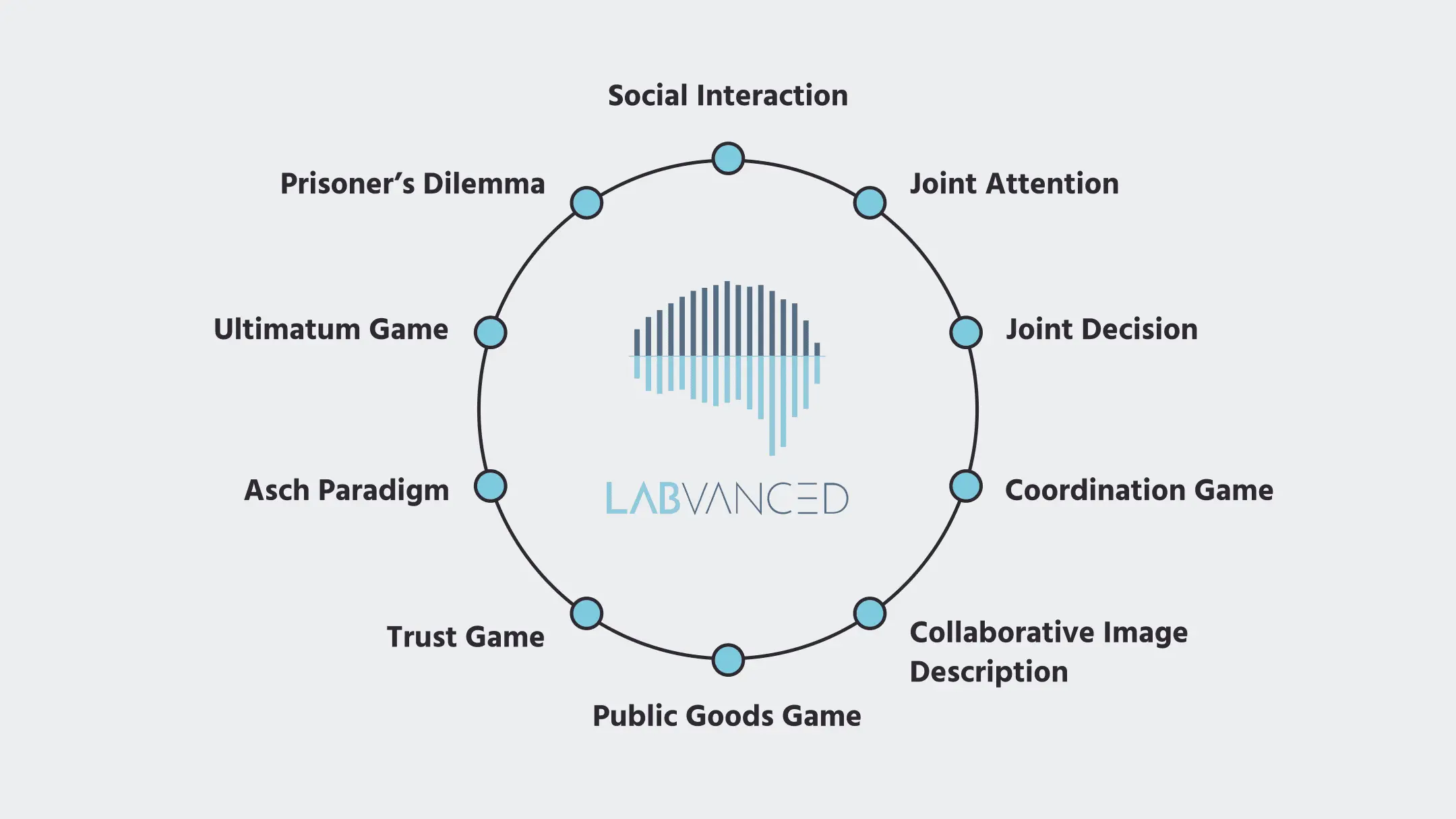
    Examples of popular multi-participant studies using game theory on Labvanced's psychology platofrm

    Because multi-user studies involve more than one person, they are at the heart of social psychology. Thus, researchers in this field use this type of experimental setup to study how cognitive processes like decision-making and attention are affected in the context of multiple users.

    Different Strategies for Conducting Multi-Participant Psychology Studies

    With Labvanced, these are the two most likely strategies for creating a study with multiple participants:

    • Strategy 1 - Using Virtual Opponents: The participant is instructed that they are playing with another participant, but in reality it's an algorithm that makes another choice randomly. This strategy is often used because implementing an actual multi-participant design is difficult. The virtual opponent strategy for multi-participant psychology studies is an easy solution but it doesn’t capture true interaction. Generative AI extends this idea considerably further, producing genuine responsive dialogue rather than randomized choices; see AI Confederate: Methodology and Validity.
    • Strategy 2 - With Real Participants: With this strategy, there is real interaction and connection between participants across different devices as data and variables are exchanged in real-time. This is the strategy that Labvanced offers.

    Our process: Labvanced pipeline for multi-user studies

    How are multi-user experiments made possible in an online study setting? You can base a multi-user study around any concept in Labvanced, it’s just a matter of setting it up appropriately. Labvanced’s framework and technology is designed in such a way that user studies can be created based on your study settings and design.

    Helpful video for getting started: Multiuser Studies in Labvanced (2-player description task)

    The Importance of Synchronization

    In order for a multi-user study to be conducted successfully, the participants must exchange information in real time and their responses must be stored as recorded data so that the researcher can analyze behavior later. Because multi-user experiments require more than two participants, synchronization across screens and also available choices is essential.

    For example, during an experiment, each player is presented with a choice to select one of the one of two images which are presented to both users. Should both click on the same image, the one who clicked faster gets that image. This is accomplished by having the server lock the choice for the person that clicked first and distributing the remaining choice to the other player.

    In brief, synchronization can be conceptualized as the following:

    1. An experimental variable is presented.
    2. The variable is changed by one user.
    3. This change is distributed to all users who may receive a notification and the new value of the variable.
      • In the instance where two users select the same variable, the serves locks the first response value and the local choice is overridden.
    4. The process repeats across the entire experiment as information and decisions are exchanged back and forth.

    About System Architecture and Data Flow

    The Distribute Variable

    The distribute variable allows for the synchronization and exchange of information between two or more participants. In order to transmit information across users and synchronize the screens and steps, such as when aligning the beginning or each task or frame, a distribute variable is necessary.

    The distribute variable allows flexibility in the design study, for example:

    1. Users can see the same or different things, allowing the researcher to control what users are seeing during the multi-participant experiment.
    2. Participants can be on different frames or tasks within the same trial.

    With the mechanism behind the distribute variable, any kind of experimental logic is possible as different types of information can be transmitted between participants.

    The Role ID Variable

    The Role ID variable distinguishes between different people because each participant has a different role or presence during the multi-user psychology experiment. While the experiment in the background is identical for all users, the variable role_ID is different for each participant.

    For example, If player 1 wants to send something to player 4, then the variable is distributed to the target player based on their assigned ID.

    The Lock Procedure

    As mentioned previously, the lock procedure ensures that participants don’t select the same response if that’s not allowed. When two variables on two different computers are presented, the server determines who sets the variable, what is remaining, and then synchronizes accordingly.
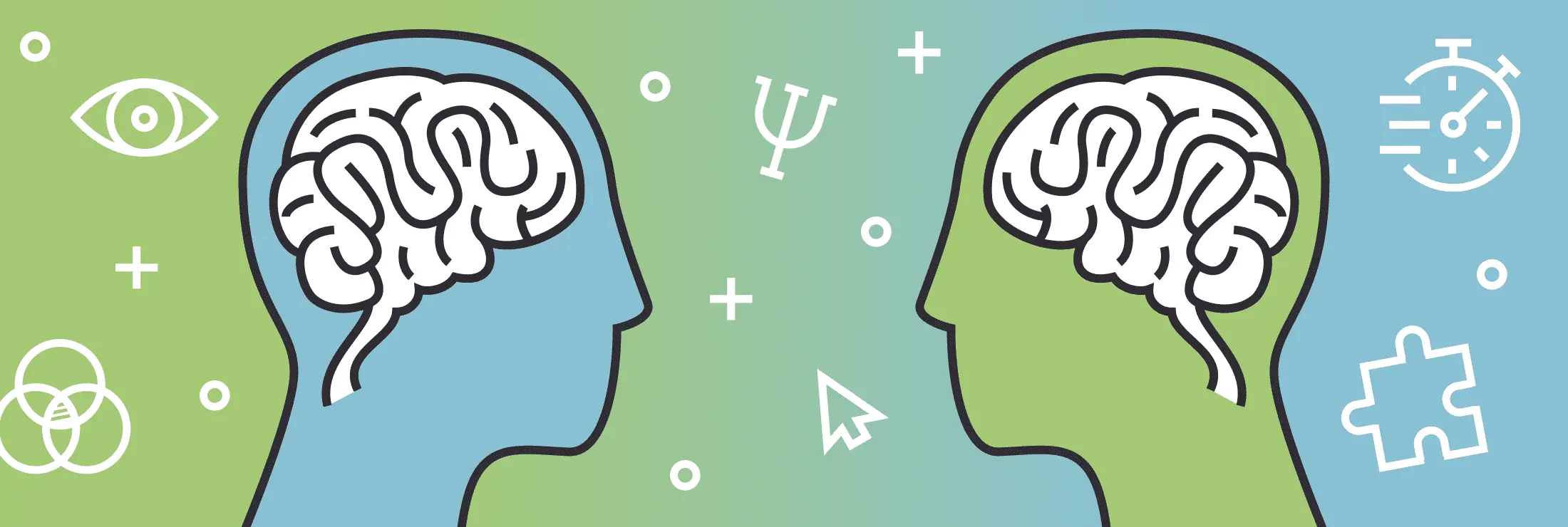
    Two participants' cognitive processes

    Cognitive Processes You Can Assess with Labvanced’s Multi-Participant Studies

    Some examples of cognitive processes that are assessed using Labvanced’s multi-user capabilities:

    1. Cooperation: Studying shared rewards by designing studies that assess how individuals reason and optimize in an individual vs. group setting or working together to achieve a common goal.
    2. Economic group-decision making: Experiments that study social behavior in an economic context using motivations such as reward.
    3. Competition: Studying how two participants compete with each other or allocate resources.
    4. Joint Spatial Attention: Collaborating together to improve group performance by having multiple people observing something. For example, an experiment studying air traffic control can assess joint spatial attention, decision-making, and how responsibility is divided to pay attention to various spaces.

    Across these different cognitive processes, game theory models are typically used.

    Here is an example of a multi-user image description task with a chat-add on in Labvanced:

    For more information, please refer to this post about the task above.

    LV Library Studies

    Try out the studies below to get a sense of how multi-user experiments look like in the platform! Pro tip: If you want to test them out for yourself, simply open a second tab in an in-cognito tab!

    • Collaborative Image Description: Two participants collaborate to select the target picture. One participant describes the image using the chat window and the other must select the correct picture out of the four images presented.
    • Joint Spatial Attention: Based on a classic paradigm of spatial attention, this experiment requires all participants to agree on the same decision. In the experiment, 4 colored squares are briefly presented, then all but one square disappears. The color may or may not switch. The group’s job is to decide whether the color of the remaining square changed or not.
    • Joint Decision (Interacting Minds): In this experiment, cognitive stimuli known as Gabor patches are presented in two groups of six. The goal is for the participants to reach a decision about in which interval the high-contrast Gabor patch was presented.
    • Public Goods Game: This 3-user experiment game is an economics game. For each round, every participant secretly decides how much of their private funds to put in the public pot. The rest funds remain to the individual participant. The public funds are then multiplied by 2 and distributed equally among the players as a payoff.
    • Trust Game: In this game, you have to make money decisions to allocate between you and another participant. Your decisions impact your earnings, thus to maximize the bonus, the task must be performed well. It is called the trust game because you send money to the other player, the amount is multiplied by 4, and you have to trust the other player to return the amount to you even though they have the choice to return as much or as little as they want!
    • Ultimatum Game: In each trial of this task, a certain amount of money is split between the two participants. Each participant suggests to the other how much money they want to give to the other person and how much they want to keep. However, the other person can either accept or decline the offer. If the participant accepts, then each player receives the proposed money. But if the participant declines, nobody receive any money in that round.
    • Prisoner’s Dilemma Game: This multi-user study is with a virtual opponent, so you can quickly get started. Each round there is a table of points that you and your co-player will get depending on the option you chose. Each participant must chose without knowing what the other has chosen.
    • Asch Paradigm: Both participants are presented with a collection of lines and must decide as a team which line is the same length as the target line.

    In this video, we walk through an example of a multiuser study. Some key features of studies that involve more than one participant include chat boxes, shared variables, and feedback frames.

    Publications Using Labvanced’s Multi-User Platform

    Check out this published experiment that made use of Labvanced’s multi-participant capabilities with game theory models:

    The Evolution of Ambiguity in Sender—Receiver Signaling Games Mühlenbernd, R., Wacewicz, S., & Żywiczyński, P. (2022). GamesDoi: https://doi.org/10.3390/g13020020

    Helpful Documentation for Multi-User Studies

    • Learn: Multi-Participant Studies
    • Sample Study: Setting up multi-participant studies

    Key Features of Labvanced Multi-user Studies:

    • Remote: Due to the nature of online studies, participants from all over the world can be invited to join in.
    • Email invitations: This feature invites other users to participate in a study through a link that is shared via email. When enough users are gathered in the virtual lobby, the experiment can begin.
    • Easy to set up: Any existing experiment can be modified to be performed with multiple users. Also, multi-user studies are incredibly complex to code because of the interacting nature of the experiment. Labvanced is designed to support them.
    • Recording responses: During the experiment, the variable responses are recorded, including any exchanges through chat.
    Sign up and implement your multi user study in Labvanced today