Website Eye Tracking for Marketing Research
A conversion metric tells you what happened. A survey tells you what people remember or report. Labvanced Web Bridge helps you investigate the moments in between: where attention went, what participants interacted with, and what they did immediately before a decision.
No screenshots to stitch together, no screen recordings to code by hand, and no changes to the website's code. Paste the address of a real, live website into your study, mark the parts of the page you care about, and participants use it much as they would at home. Gaze is recorded with Labvanced's webcam eye tracking, validated against an EyeLink 1000 in an independent, peer-reviewed study (Kaduk et al., 2024), so participants need no hardware beyond their own webcam.
Table of Contents
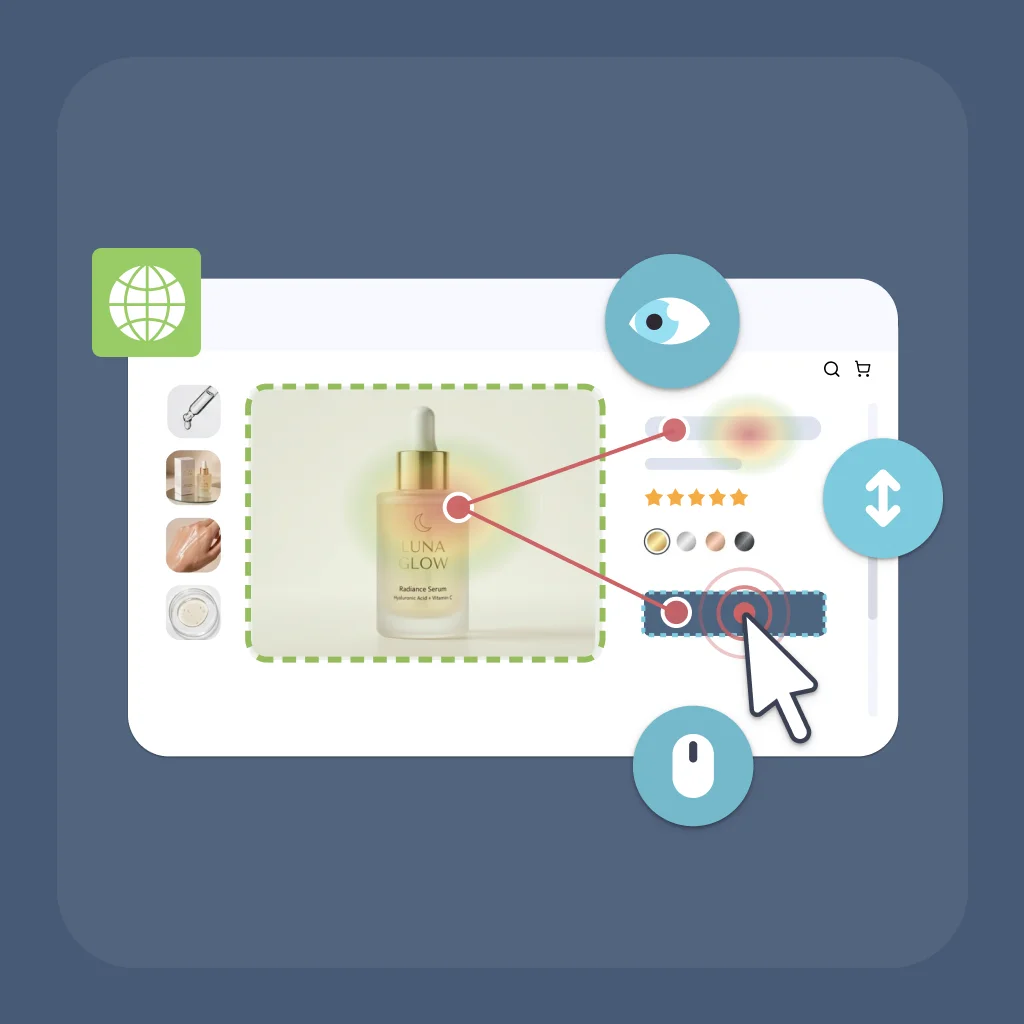
New to Web Bridge? See how it brings a real website into your study, everything it records, and how it compares to other approaches.
The Behavior Behind the Click
Marketing research usually sees only the end of the story. The glance at the price, the second look at the reviews, the pause over the button: everything that leads up to a decision usually stays invisible.
Web Bridge makes that middle part measurable. You add a real website to your study with a Website Frame, mark the parts of the page that matter to your question, such as the price, a pop-up, or the checkout button, and participants use the live site as they normally would.
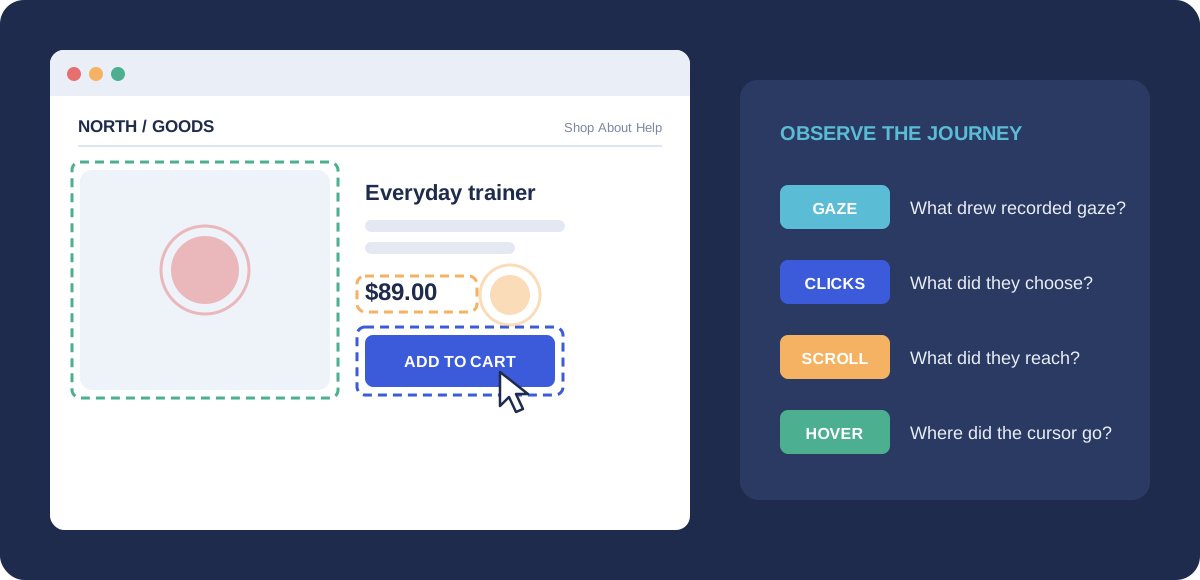
The real strength is the combination. Eye tracking provides evidence about where participants directed their gaze. Behavior tracking shows what they actually did. Web Bridge records both at the same time, on the same parts of the same page, so you can follow the whole journey from a first glance to a final click:
- Gaze: which elements attracted recorded gaze, and which received no recorded fixation during the task.
- Clicks: what they chose to interact with.
- Scrolling: how far down the page they got. Mark elements at different depths, such as a middle section, the reviews, and the footer, and the gaze and clicks on them show how far each participant scrolled.
- Hovers: which elements their cursor moved over, and for how long, which can point to moments worth investigating further.
Nothing on the website itself has to change, and you are not limited to a screenshot. Menus open, pages scroll, and pop-ups appear as they would for a real visitor, as long as the website allows itself to be embedded. Most do, but some, such as amazon.com and ebay.com, cannot be used.
Below are five marketing questions that published research has already started to answer, and how you could take each one further with Web Bridge.
1. Checkout: Did Shoppers See the Fee?
On average, about 70% of online shopping carts are abandoned before purchase. Baymard Institute puts the figure at 70.22%, based on 50 different studies (Baymard Institute, 2025). Something happens between "add to cart" and "buy", and most of it is never recorded.
What Researchers Found
In a large field experiment on the ticket marketplace StubHub, researchers changed when buyers saw the mandatory fees: upfront, or only at the end of checkout (Blake et al., 2021). Showing the full price upfront reduced both how many tickets people bought and the quality of the tickets they chose. According to the University of California, Berkeley's summary of the study, buyers who saw the fees only at the end spent about 21% more and were 14% more likely to complete a purchase (Berkeley Haas, 2021).
What They Couldn't See
The experiment showed that fee timing changes behavior. It could not show what buyers were looking at when they decided. Did they read the fee line? Did they look for it and miss it? Did they look back at the total before clicking?
The Web Bridge Study
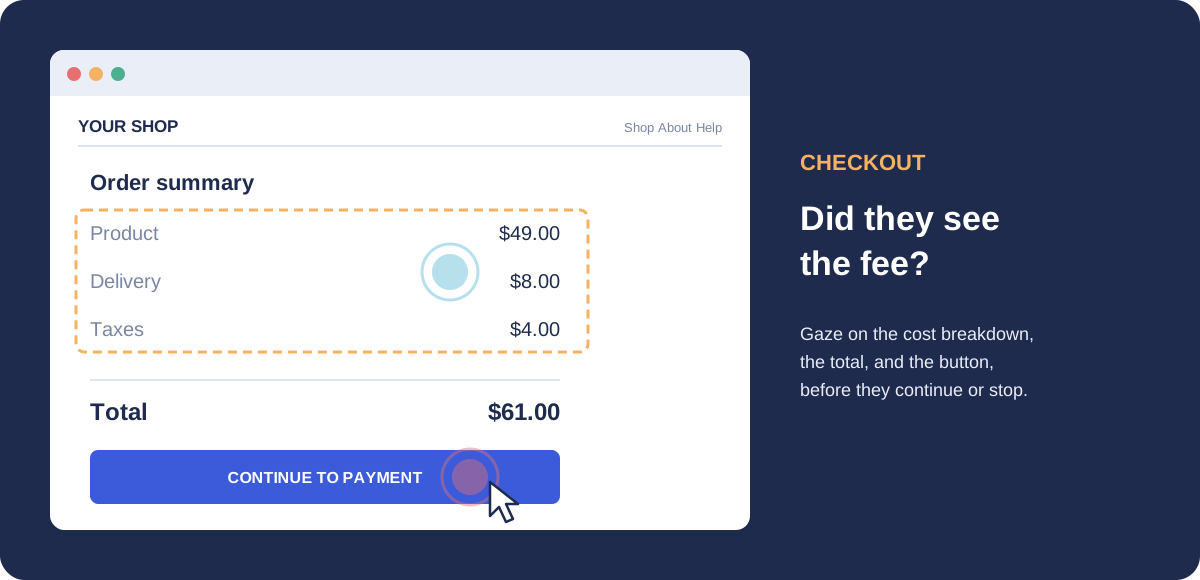
Embed a real checkout flow, for example your own shop or a test version of it, and mark the delivery fee, taxes, total price, returns information, and the checkout button. Give participants a natural task, such as buying a product they would actually consider. Then compare people who finish with people who stop:
- Did they look at the fee before deciding?
- How long did they look at the total?
- Did their eyes go back to the price before they left?
This makes the moments leading up to a decision observable and measurable, rather than leaving researchers to infer them from conversion data alone.
2. Pop-Ups: Did Anyone Really Look?
Pop-ups and consent banners are everywhere, and every marketer assumes they get noticed. Research says it is not that simple.
What Researchers Found
When researchers changed the moment a pop-up ad appeared during browsing, the timing mattered: pop-ups that appeared early received fewer and shorter fixations, while pop-ups that appeared later received more and longer ones (Hsieh et al., 2021). In a separate eye tracking study of three cookie consent banner designs, ranging from good to bad practice, none of the participants read the text on the banners (Inal et al., 2024).
What They Couldn't See
The pop-up study ran in a simulated browsing environment built for the experiment. That keeps conditions controlled, but real websites behave differently: their pop-ups compete with real menus, real content, and real goals.
The Web Bridge Study
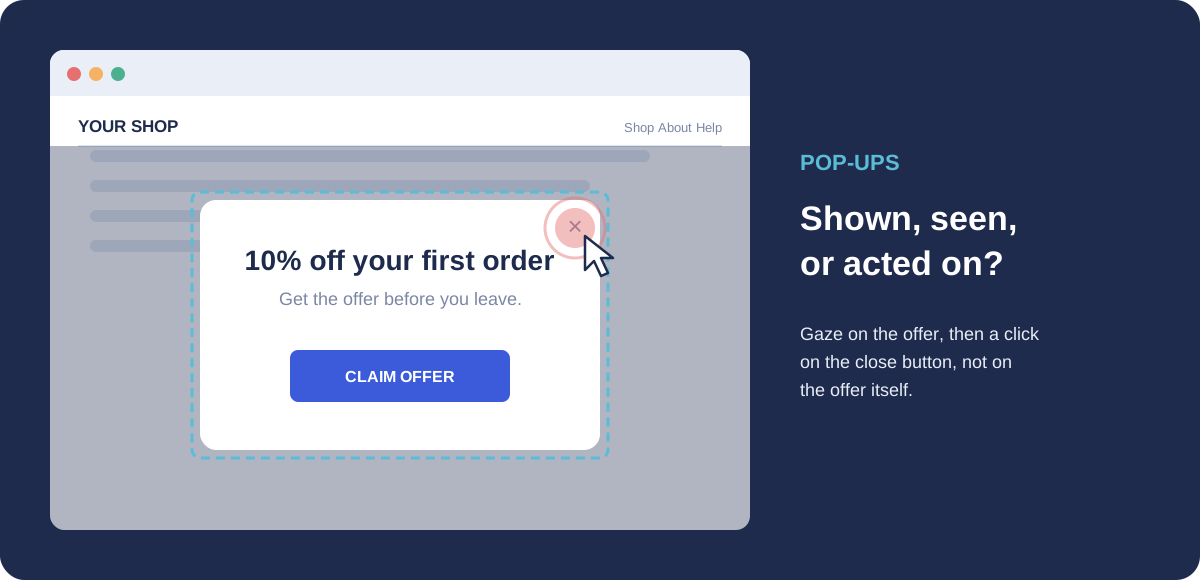
Run the same question on a real website. If it is your own site or a test version of it, you can show the same offer immediately, after a delay, or after the participant has done something meaningful, and compare. Mark the offer text, the call-to-action button, and the close button. You can then see whether the offer was looked at, for how long, whether it was clicked or closed, and whether people got back to what they came to do.
That separates three things that analytics usually lump together: the pop-up was shown, the pop-up was seen, and the pop-up was acted on. A pop-up that is part of the website's own page can be marked like any other element. It switches on when the pop-up appears, and you can set it up in advance even if the pop-up isn't showing while you build the study. Two tips: pop-ups delivered in their own separate frame, as some advertising and consent tools do, can't be marked element by element, so test your pop-up first. And while the pop-up is open, it covers the page underneath, so read the data for the covered elements with that in mind and focus on the pop-up itself.
3. Banner Ads: Is Banner Blindness Real?
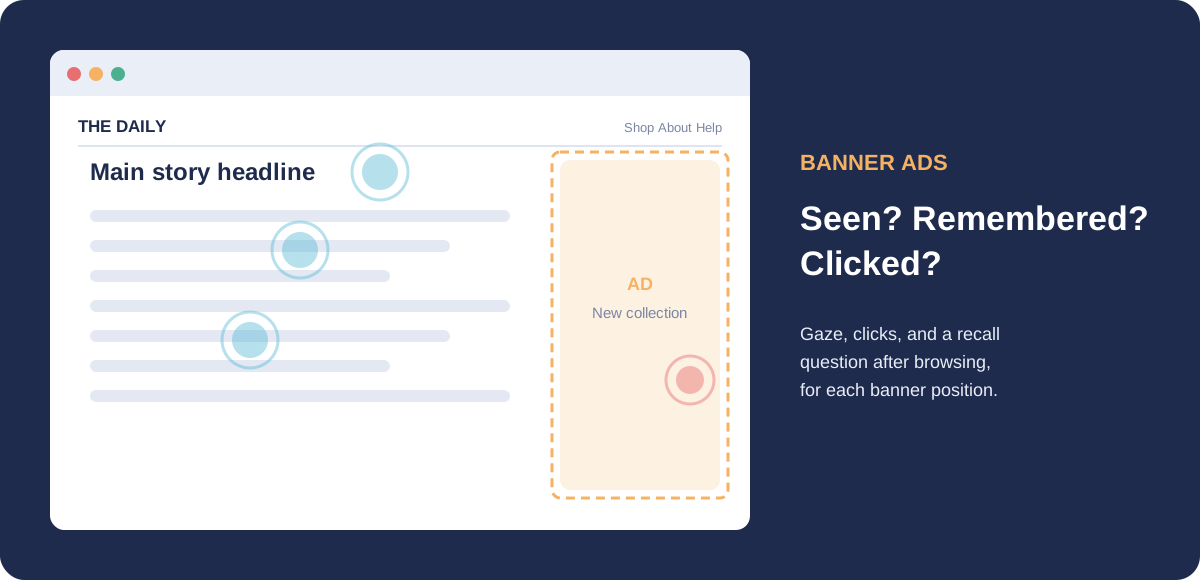
"Nobody looks at banner ads" is one of the most repeated ideas in online marketing. The evidence is more interesting than that.
What Researchers Found
An eye tracking study of text ads on a website found that most participants did look at the ads at least once during their visit (Hervet et al., 2011). And ads that matched the surrounding content were remembered better than ads that did not, even though people did not look at them any longer. In another study, researchers placed banner ads at the top or on the right side of 18 website home pages, and gave participants either a specific goal or free browsing time, to see how placement and task shape attention (Resnick & Albert, 2014).
What They Couldn't See
Looking, remembering, and clicking are three different things. A click-through rate captures only the last one, and a recall survey captures only the middle one.
The Web Bridge Study
Embed real pages, for example two versions of your own page with the banner in different places or with different creative, and mark the banner, the main content, and the call to action. Show each version to a different group of participants. Use banners that are part of your page itself: ads served by an ad network often load in their own separate frame, where you can track gaze on the ad space as a whole but not clicks inside it. Give some participants a shopping goal and let others browse freely. After browsing, ask a surprise recall question. Now you know, for each person, whether the ad was seen, remembered, and clicked, and which placement earns real attention instead of just impressions.
4. Product Pages: Which Details Drive the Decision?
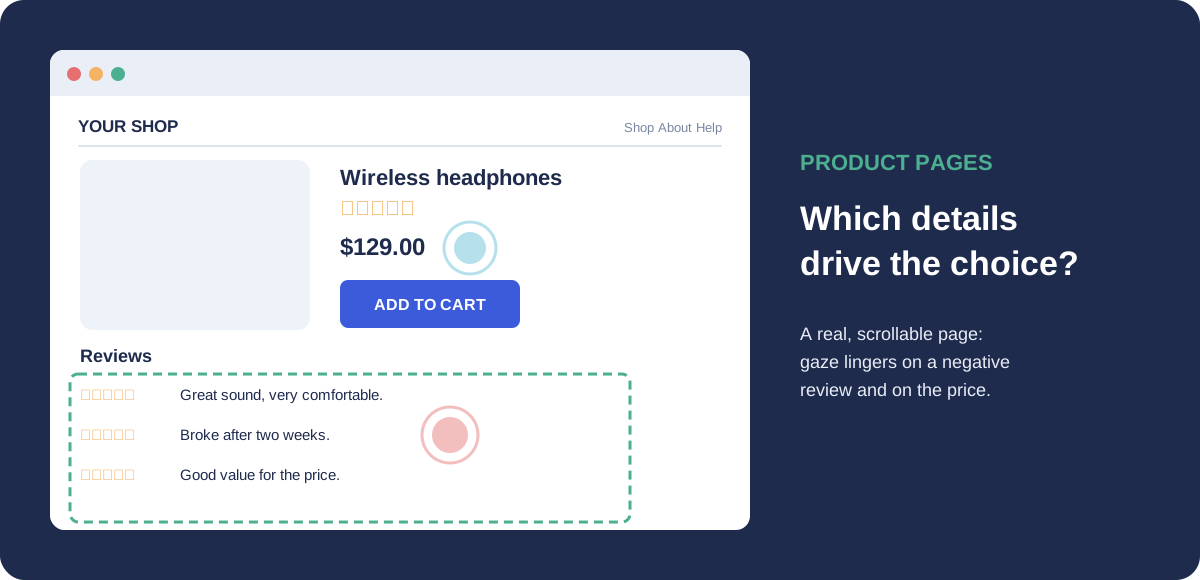
A product page is full of information: photos, price, specifications, delivery terms, and reviews. Which of these actually shapes the choice?
What Researchers Found
In an eye tracking study of online shopping, consumers paid significantly more attention to negative reviews than to positive ones, especially female consumers, and they were not able to identify false reviews (Chen et al., 2022). Their visual browsing behavior was also linked to their purchase intention.
What They Couldn't See
The study ran in a lab with a hardware eye tracker, and participants viewed screenshots of an online shopfront. A screenshot cannot be scrolled, clicked, or expanded, so the study could not follow how people move through a real product page on their own.
The Web Bridge Study
Use a real, live product page and mark the photos, price, specifications, delivery information, reviews, and the Add to Cart button. Participants scroll, open reviews, and click product options much as they would at home, on their own computer and with their own webcam. You see which details they inspect, in what order, how long they stay with the reviews, and which product they finally choose. A webcam is less precise than a lab eye tracker, so mark whole areas, such as the review section or the price block, rather than single words.
5. A/B Tests: Why Did Version B Win?
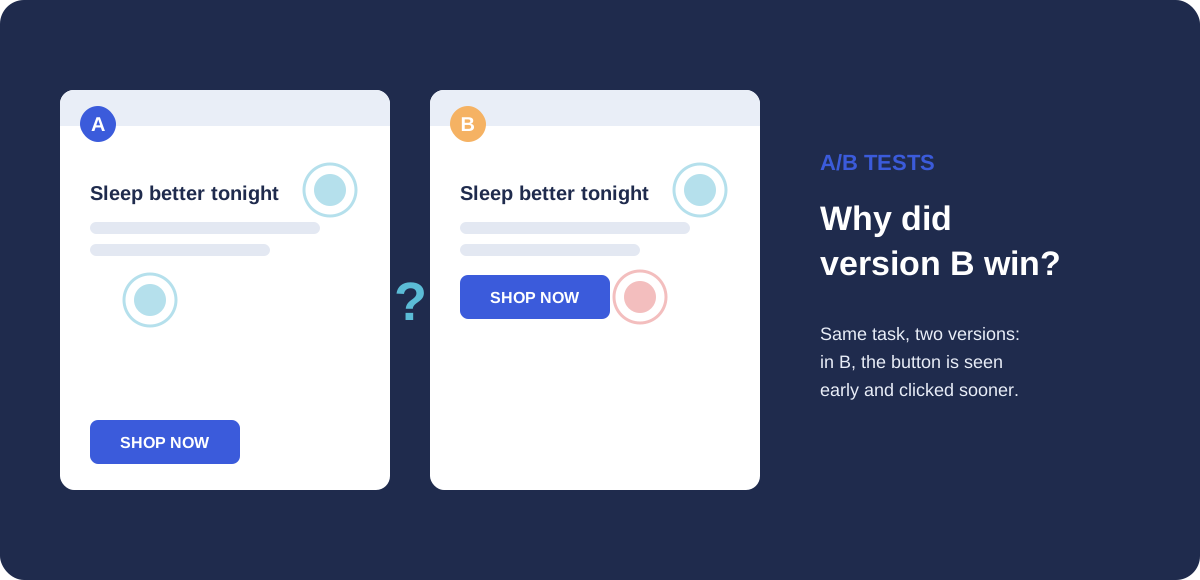
A/B testing tells you which version of a page performs better. It rarely tells you why.
What Researchers Found
At Microsoft's Bing, a small change to how ad headlines were displayed sat in the backlog for more than six months. When it was finally tested, it increased revenue by 12%, more than $100 million a year in the United States alone (Kohavi & Thomke, 2017). The same authors report that at Google and Bing, only about 10% to 20% of experiments generate positive results. Most ideas fail, and even experts often misjudge which ones will work.
What They Couldn't See
An A/B test measures the outcome. It does not show what people noticed in the winning version, or what they missed in the losing one. That makes it hard to learn from the result and design the next test well.
The Web Bridge Study
Randomly assign participants to version A or version B of a real page with Labvanced's built-in randomization, give everyone the same task, and mark the headline, the key message, the price, and the button in both versions. Now the result comes with an explanation: did more people see the offer in version B, did they reach the button faster, or did they skip a section that version A forced them to read?
From Idea to Study
Every study above follows the same five steps.
- Start with one clear question. For example: do shoppers notice the delivery fee before they start checkout?
- Add the real website. Place the page in your study with a
Website Frame. - Mark what matters. Click on the page elements your question is about, such as the price, the pop-up, the reviews, or the button, and choose what to record for each one: gaze, clicks, or both.
- Give participants a natural task. For example, "Find a product you would buy and continue as far as you would normally go." Don't tell them where to look.
- Compare behavior with outcomes. Look at gaze, clicks, and hovers next to what participants chose, whether they finished the task, and what they told you afterwards.
Good to know
Eye tracking provides evidence about where participants directed their gaze, not proof that they understood what they saw. Combined with clicks, hovers, task outcomes, and follow-up questions, it helps you investigate how attention relates to behavior and why people decided the way they did.
Participants and researchers both use Google Chrome with the free Labvanced Web Bridge extension, and Labvanced walks participants through installing it. Using a Website Frame requires the Ultimate license. For step-by-step setup, see the Website Frame Eye Tracking walkthrough.
Frequently Asked Questions
Can I run eye tracking on a real website for marketing research?
Website Frame. Participants use the site normally while their webcam records where they look, and their clicks and hovers are recorded on the same page elements. The website itself does not need to be changed. Do participants need special hardware?
How is this different from website analytics or heatmap tools?
Further Reading
Website Eye Tracking
How Web Bridge works, what it records, and how it compares to other tools.
Webcam Eye Tracking
The validated eye tracking engine behind Web Bridge.
Web Bridge Guide
Install the extension, mark your elements, and publish your study.
References
Baymard Institute. (2025). Cart abandonment rate statistics. https://baymard.com/lists/cart-abandonment-rate
Berkeley Haas. (2021, February 9). Buyer beware: Massive experiment shows why ticket sellers hit you with last-second fees. https://newsroom.haas.berkeley.edu/research/buyer-beware-massive-experiment-shows-why-ticket-sellers-hit-you-with-hidden-fees-drip-pricing/
Blake, T., Moshary, S., Sweeney, K., & Tadelis, S. (2021). Price salience and product choice. Marketing Science, 40(4), 619–636. https://doi.org/10.1287/mksc.2020.1261
Chen, T., Samaranayake, P., Cen, X., Qi, M., & Lan, Y. (2022). The impact of online reviews on consumers' purchasing decisions: Evidence from an eye-tracking study. Frontiers in Psychology, 13, 865702. https://doi.org/10.3389/fpsyg.2022.865702
Hervet, G., Guérard, K., Tremblay, S., & Chtourou, M. S. (2011). Is banner blindness genuine? Eye tracking internet text advertising. Applied Cognitive Psychology, 25(5), 708–716. https://doi.org/10.1002/acp.1742
Hsieh, A.-Y., Lo, S.-K., Chiu, Y.-P., & Lie, T. (2021). Do not allow pop-up ads to appear too early: Internet users' browsing behaviour to pop-up ads. Behaviour & Information Technology, 40(16), 1796–1805. https://doi.org/10.1080/0144929X.2020.1784282
Inal, Y., Volden, F., Carlsen, C., & Hjelmtveit, S. (2024). My eyes don't consent! Exploring visual attention in cookie consent interfaces. In Proceedings of the 2024 Symposium on Eye Tracking Research and Applications (pp. 1–7). ACM. https://doi.org/10.1145/3649902.3653352
Kaduk, T., Goeke, C., Finger, H., & König, P. (2024). Webcam eye tracking close to laboratory standards: Comparing a new webcam-based system and the EyeLink 1000. Behavior Research Methods, 56(5), 5002–5022. https://doi.org/10.3758/s13428-023-02237-8
Kohavi, R., & Thomke, S. (2017, September–October). The surprising power of online experiments. Harvard Business Review. https://hbr.org/2017/09/the-surprising-power-of-online-experiments
Resnick, M., & Albert, W. (2014). The impact of advertising location and user task on the emergence of banner ad blindness: An eye-tracking study. International Journal of Human-Computer Interaction, 30(3), 206–219. https://doi.org/10.1080/10447318.2013.847762