Visual Search Task
The Visual Search Task measures attentional selection by requiring participants to locate a target within a visual array. It is widely used in cognitive psychology and neuroscience to study visual attention, search efficiency, and perceptual decision making.
Table of Contents
Task Format | Visual Search Task Online & In-Lab
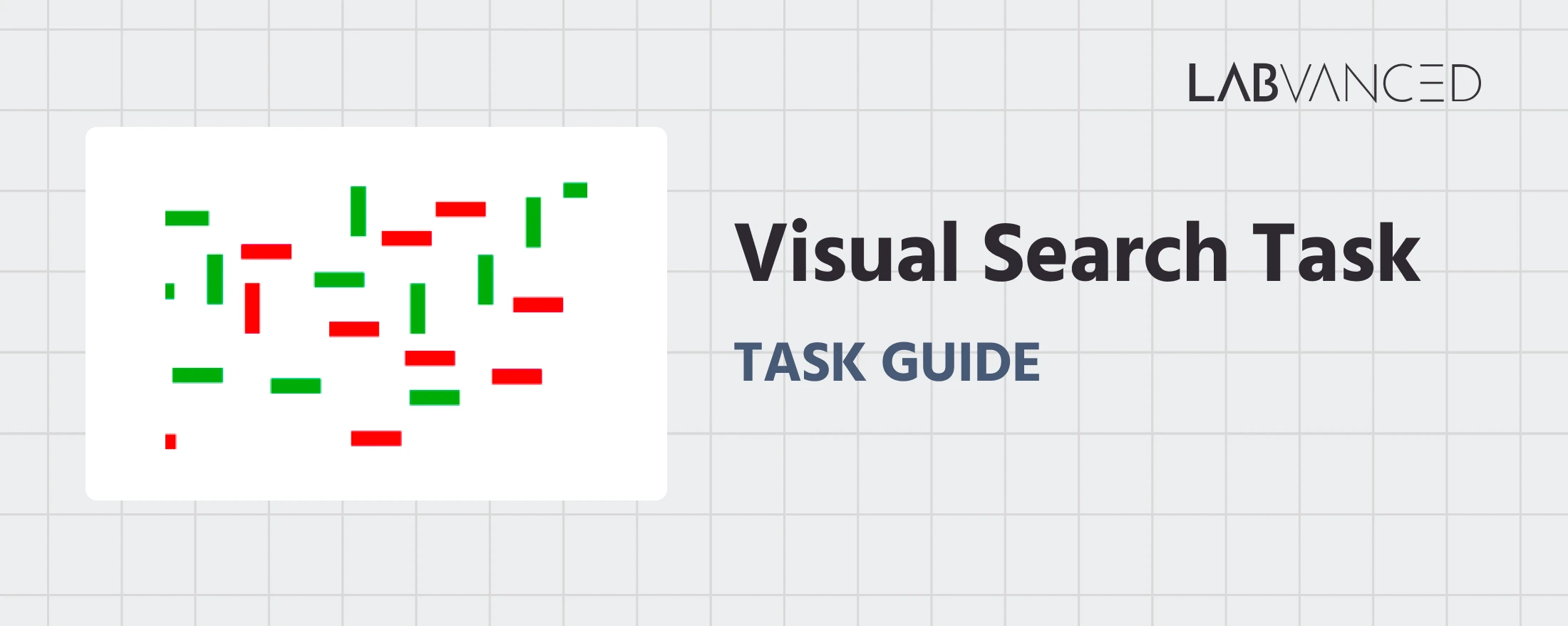
In this version of the Visual Search Task, a conjunction search paradigm is applied, where participants search a display containing multiple items to determine whether a predefined target (a red vertical bar) is present or absent among distractors. Task difficulty can vary depending on the number and arrangement of distractor items.
Each experimental session begins with practice trials that include feedback to help participants learn the response rules, followed by a main experimental block where no feedback is provided. Participants are instructed to respond as quickly and accurately as possible.
Two versions of the Visual Search Task are available, each optimized for the type of device and input method being used:
Desktop Version
In the desktop version, a visual search array appears on each trial and participants decide whether the target is present or absent. Responses are made using the A and L keys, with the present/absent mapping counterbalanced across participants. Practice trials provide feedback, while the main task records responses without feedback.
Mobile Version
In the mobile version, the same search arrays are presented in a layout optimized for touchscreen devices. Participants respond by tapping YES if the target is present or NO if the target is absent. Practice trials include feedback before the experimental block begins, after which feedback is removed.
Participants in both versions are instructed to respond as quickly and accurately as possible while searching for the target among distractors.
Visual Search Task Metrics and Data Collected
The Visual Search Task captures a range of behavioral measurements that reveal how efficiently participants locate a target stimulus among varying numbers of distractors. The variables recorded enable researchers to assess reaction times, response accuracy, error patterns, and performance differences across set sizes and target conditions (present vs. absent). These measures help quantify attentional selection, visual scanning efficiency, and sensitivity to perceptual load. All variables can be viewed and customized within the task’s Variables Tab.
Below are examples of variables collected in the Labvanced version of the Visual Search Task:
| Variable Name | Description |
|---|---|
accuracy | Trial-level accuracy (1 = correct, 0 = incorrect) |
accuracy_total | Running count of the total number of correct responses across all trials |
choice | Response given by the participant (Desktop: A or L, Mobile: YES or NO) |
error | Trial-level error (0 = correct, 1 = incorrect) |
number_distractors | Number of distractor items shown in a trial |
reaction_time | Participant’s reaction time in milliseconds |
set_size | Total number of items (target + distractors) in the array |
stimulus_presented | The stimulus image shown for that trial |
target_type | Whether the target was present or absent |
avg_overall_RT | Average reaction time across all trials |
avg_overall_accuracy | Average accuracy across all trials |
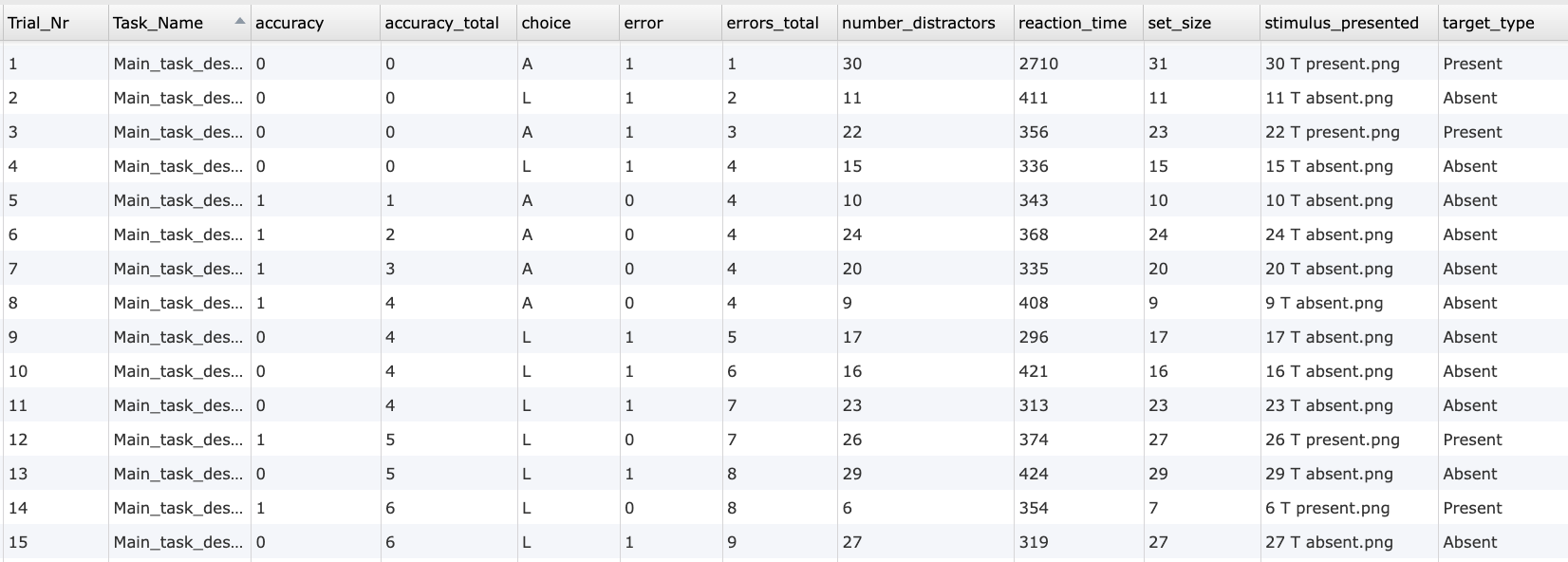
Data table showing an excerpt of individual trial-level outputs from the Visual Search Task, including accuracy, response choice, reaction time, distractor count, set size, presented stimulus, and target condition.
This study measures attentional selection and search efficiency using a conjunction visual search paradigm. Participants decide whether a predefined target is present or absent among distractors, while reaction time and accuracy are recorded.
Technology Driving the Visual Search Task for Online & In-Lab Research
Labvanced includes several technologies that make the Visual Search Task highly accurate, flexible, and suitable for both laboratory and online research:
High Precision Timing: Visual search studies often rely on small reaction time differences across conditions. Labvanced records responses with millisecond accuracy, ensuring reliable measurement of search efficiency.
Flexible Array Construction: Multiple visual objects can be arranged freely across the canvas to create structured or randomized search displays. Researchers can control target position, distractor spacing, and layout.
Webcam Eye Tracking Integration: Webcam-based eye tracking can be added to capture gaze patterns, fixation duration, and search strategies without additional hardware.
Web Based and Desktop Deployment: The task can be run in browsers for online studies or through the desktop app for controlled lab environments.
Support for Multiple Input Methods: Participants can respond using keyboard keys, mouse clicks, or touchscreen buttons depending on study design.
Integration With External Systems: The task can be synchronized with EEG or other LSL-based systems for advanced neurocognitive research.

Webcam Eye Tracking
Capture gaze patterns and visual attention during mental rotation trials.
Timing Precision
Capture reaction times, task performance, and more with millisecond accuracy for time-sensitive tasks.

Desktop App
Run in-lab studies using the Desktop App, compatible with EEG and other LSL-connected lab hardware.
Customization of the Visual Search Task
There are many ways to adapt this Visual Search Task template to meet specific research questions. Below are several customization themes researchers commonly explore when modifying this task.
Stimulus Design and Target Definition
The items in the search array are visual objects that can be replaced directly in the editor. Researchers can use Image Objects, Text Objects, or other shapes, and define properties such as color, orientation, or category using the Object Properties field.
Target Presence and Array Logic
Target present and absent trials are defined through the Factor Tree and Trials & Conditions table. Events read these condition values to determine which objects appear and where the target is placed.
Set Size and Layout Variation
The number of distractors can be modified by adding or removing objects or controlling visibility through Events. Different set sizes can be used to study attentional load and search efficiency.
Response and Correctness Rules
Correct responses are evaluated by comparing participant input with the current trial condition. If labels or object names are changed, Events should also be updated accordingly.
Timing and Trial Flow
Stimulus timing, response windows, and feedback can be adjusted through frame durations or Delayed Action (Time Callback) events. Researchers can customize inter-trial intervals and block transitions.
If you need help customizing this task, please feel welcome to write to us and ask:
Recommended Use and Applications of the Visual Search Task
The Visual Search Task is widely used across research domains investigating attention, perception, and decision making.
Selective Attention Research: Used to study how attention is allocated when identifying targets among distractors across varying set sizes.
Perceptual Processing Studies: Examines how visual similarity and feature overlap influence detection speed in feature vs. conjunction search.
Applied Attention and Workload Research: Helps assess performance under time pressure or high information load in human factors research.
Neurocognitive Research: Combined with eye tracking or neurophysiological measures to study attentional control and visual scanning behavior.
References
Treisman, A. M., & Gelade, G. (1980). A feature-integration theory of attention. Cognitive Psychology, 12(1), 97–136.
Veríssimo, I. S., Nudelman, Z., & Olivers, C. N. (2024). Does crowding predict conjunction search? An individual differences approach. Vision Research, 216, 108342.
Related Tasks
The Visual Search Task pairs naturally with other visual attention tasks in Labvanced's task library.
Dot Probe Task
In this task, participants see pairs of images followed by a small dot and must respond as quickly as possible to the dot's location via key press (desktop) or button press (mobile).
Flanker Task
This study measures selective attention and inhibitory control using the Flanker Task. Participants respond to the direction of a central arrow while ignoring surrounding distractors. Reaction time and accuracy are recorded as performance indicators.