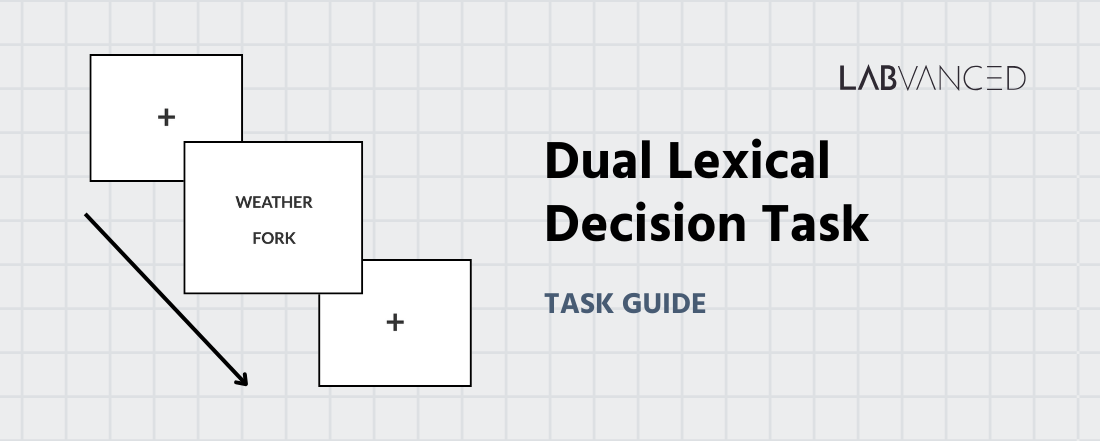
Dual Lexical Decision Task (DLDT)
The Dual Lexical Decision Task is a fast paced assessment that measures word recognition, reading fluency, and automatic language processing. Participants judge whether presented stimuli are real words or nonwords. This task is widely used in psycholinguistics, cognitive psychology, and language proficiency research.
Table of Contents
Task Structure of the Dual Lexical Decision Task
In the Dual Lexical Decision Task (DLDT), two letter sequences appear on the screen at the same time. The participant’s goal is to decide whether both sequences are real English words or whether one or both are not. Each session begins with a short training block where participants receive feedback so they can become familiar with the response rules.
Two versions of the task are available, each optimized for the type of device and input method being used:
Desktop Version
In the desktop version, participants view two letter sequences arranged vertically, with one word on top and the other below it. Responses are made using the A and L keys, which correspond to the two judgment options: both sequences are real English words or when at least one sequence is not. The task includes balanced key assignments so that each response option is paired with both keys across participants, helping control for key-press biases and motor tendencies.
Mobile Version
The mobile version is optimized for touchscreen use. Two letter sequences are shown vertically on the screen, and participants respond by tapping one of two clearly labeled buttons beneath the stimuli. They tap the Words button when both sequences are real English words and tap Non-words when at least one sequence is not a real word. The interface is arranged for comfortable thumb access and consistent tap detection across different screen sizes. Participants are asked to respond as quickly and accurately as possible. The training block provides immediate feedback to help them learn the response rules before the main task begins. At the end of the task, participants also receive a results summary showing their overall accuracy and reaction time, as well as separate accuracy and reaction time values for each word class and semantic relationship condition.
Data Collected in the Dual Lexical Decision Task
The DLDT evaluates task performance by capturing a range of linguistic and cognitive processing metrics. In the Variables Tab, you will see all measures recorded during the task. Below are several of the most informative indicators that researchers frequently analyze in this version of the DLDT:
| Variable Name | Description |
|---|---|
answer | The participant’s response for a trial |
reaction_time | Time taken by the participant (in ms) to respond in a trial |
word_condition | The condition type of the presented string pair. Gives info if both are words (word) or if at least either of the presented strings is a non word (non-word) |
semantic_relationship | The relationship between the strings presented (related/unrelated) |
total_accurate | Cumulative number of correct responses across trials |
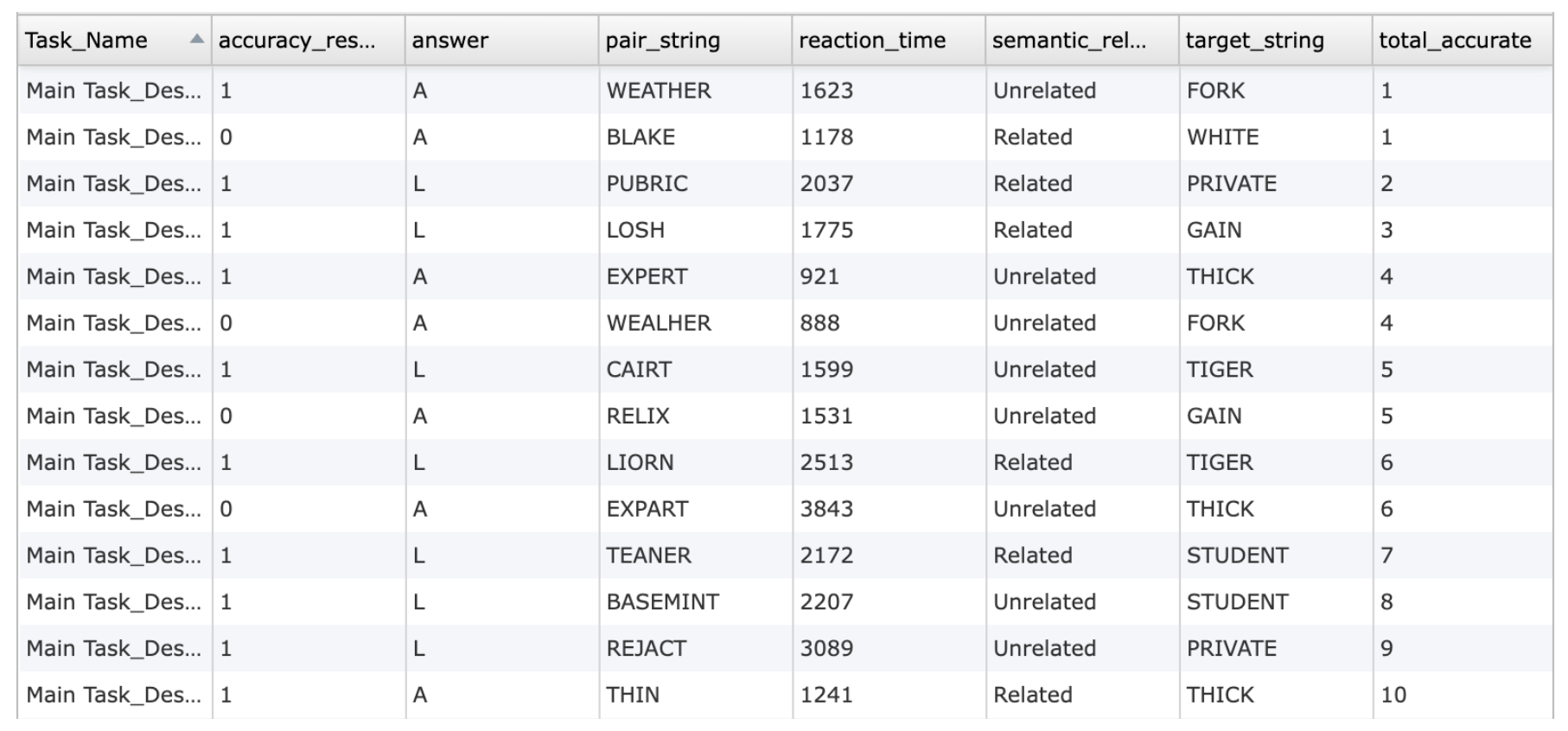
Data table showing individual trial level data from the Dual Lexical Decision Task, displaying accuracy, response keys, reaction times, paired letter strings, and the semantic relationship assigned to each item.
These variables / outcome measures can be renamed, expanded, or combined with additional logic to align with different experimental goals. Labvanced also supports advanced filtering, custom scoring, and automated summary calculation during or after the task.
This study investigates word recognition and decision-making in language processing. Participants will view pairs of letter strings and decide whether they are real words or non-words. The task measures accuracy and reaction times in lexical processing.
Technologies Supporting the Dual Lexical Decision Task
Labvanced provides a high precision and flexible environment for implementing the Dual Lexical Decision Task in online and in-lab settings. Several technologies enhance the quality of DLDT data:
Code-free Interface: Labvanced empowers linguistics researchers by providing a fully code-free platform for building sophisticated language experiments without programming expertise.
Millisecond Accurate Timing: Ensures precise presentation of simultaneous stimuli and accurate measurement of reaction times for both streams.
Dual Stream Presentation Control: Allows independent timing, randomization, and positioning of left and right stimuli, supporting experiments on divided attention and lateralized processing.
Webcam Eye Tracking: Enables optional gaze recording to examine fixation shifts, reading behavior, or attention allocation between the two stimulus positions.
Cross Device Compatibility: Supports desktops, laptops, and tablets, with well calibrated layouts for keyboard or touchscreen responding.
Desktop App for High Control Environments: Provides a stable environment for lab based studies with potential integration of EEG or LSL compatible sensors for synchronized multimodal recordings.
Remote Testing and Longitudinal Designs: Facilitates repeated sessions, large online samples, and diverse participant recruitment while preserving data integrity.

Webcam Eye Tracking
Capture gaze patterns and visual attention with built-in, code-free and peer-reviewed webcam eye-tracking.

Timing Precision
Capture reaction times, task performance, and more with millisecond accuracy for time-sensitive tasks.
Code-free Editor
Build powerful experiments with advanced technologies, without having to write a single line of code.
Customizing the Dual Lexical Decision Task Template
The Dual Lexical Decision Task template can be tailored in numerous ways to match different research questions or participant groups. Below are a few themes researchers commonly ask when it comes to modifying this task.
Stimulus Design
Researchers can upload their own word lists, pseudowords, or multilingual stimuli. You can do this by editing the stimuli data frame variable. This variable consists of all the stimuli text used for the task. The Trials & Conditions panel lets you manually edit each trial and add the words directly to the frame.
Timing and Trial Parameters
Stimulus duration, inter stimulus intervals, and feedback timing can be modified to match the needs of the study. These can be modified through Delayed Action (Time Callback) or frame specific timing controls.
Layout and Presentation Format
The appearance of the stimuli can be customized by changing spacing, font type, size, and placement of the letter sequences. The ‘Object Properties’ panel provides you with the option to edit the stimuli’s position, size, scaling, rotation and more. The vertical layout can also be adapted to accommodate different screen sizes and device types.
Response Options and Input Modes
Keyboard keys or touchscreen buttons used for responses can be changed to suit accessibility requirements or better align with the instructions. The events with mouse trigger or button trigger could be edited to include varied response options and allow the task to be optimized for different devices or participant groups.
Difficulty and Condition Structure
Researchers can introduce additional conditions such as word frequency levels, morphological families, and more. It is also possible to add masks, distractors, or varied presentation speeds to change task difficulty. The event system could be utilized to set up any presentation rule or level of difficulty.
Multimodal Integration
The task can be combined with eye tracking, EEG, or other LSL compatible devices via the Labvanced Desktop App, supporting synchronized behavioral and physiological data collection.
If you need help customizing this task, please feel welcome to write to us and ask:
Recommended Use and Applications of the Dual Lexical Decision Task
The Dual Lexical Decision Task is useful in many areas of language and cognitive research, whether online or in-lab. It helps researchers understand how people recognize written words, especially when they must respond quickly or handle two items at the same time.
Psycholinguistics and Word Recognition Research: Used to study how people access word meanings, recognize letter patterns, and show semantic priming effects during fast word recognition.
Bilingualism and Second Language Learning: Helps compare how quickly and accurately people process words in different languages, and how language proficiency affects word recognition under time pressure.
Developmental and Educational Populations: Useful for assessing reading development, word decoding, and early literacy skills in children and adolescents, especially in tasks involving word versus nonword decisions.
Reading and Language Disorders: Commonly used to examine difficulties in dyslexia, language disorders, or other conditions that affect phonological processing, spelling, or understanding written words.
Neuropsychological and Clinical Populations: Relevant for studying word recognition problems in individuals with neurological conditions, mild cognitive impairment, or disorders affecting language and semantic memory.
Cognitive Neuroscience and Brain Mapping: Often combined with EEG or fMRI to study the brain activity linked to semantic priming, hemispheric differences, and rapid language understanding.
References
Meyer, D. E., & Schvaneveldt, R. W. (1971). Facilitation in recognizing pairs of words: Evidence of a dependence between retrieval operations. Journal of Experimental Psychology, 90(2), 227–234. https://doi.org/10.1037/h0031564
Hoedemaker, R. S., & Gordon, P. C. (2017). The onset and time course of semantic priming during rapid recognition of visual words. Journal of experimental psychology. Human perception and performance, 43(5), 881–902. https://doi.org/10.1037/xhp0000377
Related Tasks
The Dual Lexical Decision Task pairs naturally with other language processing tasks in Labvanced's task library.