labvanced logoLabVanced
Contact
    • Remote Physiological Measurements
    • Eye Tracking
    • Head & Face-Tracking
    • Emotion Detection
    • Heart Rate Detection (rPPG)
    • Generative AI
    • Audio Transcription
    • EEG & Hardware Integrations
    • Decision Making
    • Reaction Times
    • Keyboard Inputs
    • Mouse Tracking
    • Mobile / Touch
    • Questionnaires
    • Gamepad / Joystick Integration
    • Audio Recordings
    • Audio Transcription
    • Video Recordings
    • Screen Recordings
    • Photos / Snapshots
    • Video Conferencing
    • Canvas Drawings
    • Build with AI
    • Build with Spreadsheets
    • Using the Experiment Editor
    • Coding
    • Creating Questionnaires
    • Balancing & Randomization
    • UX & Website Testing
    • Single Session Studies
    • Factorial Designs
    • Longitudinal & Multi-session Studies
    • Individual & Case Studies
    • Real-time Multi-user Studies
    • Interviews & Video Calls
    • Surveys & Questionnaires
    • Experience Sampling & Diaries
    • Classroom & Group Testing
    • Interventions & Clinical Trials
    • In the Browser
    • Mobile App
    • Desktop App
    • WebBridge Chrome Extension
    • Stroop Test
    • Flanker Task
    • N-back Task
    • Implicit Association Test
    • Trail Making Test
    • Digit Span
    • Corsi Block Tapping
    • Tower of London
    • Balloon Analog Risk Task
    • Preferential Looking
    • Browse more →
    • DASS-21
    • GAD-7
    • Rosenberg Self-Esteem Scale
    • PHQ-9
    • Ten-Item Personality Inventory
    • Big Five Personality Test
    • Adult ADHD Self-Report Scale
    • Browse more →
    • Building a Multi-user Study
    • Webcam Eye Tracking with AOIs
    • Website Frame Eye Tracking
    • Conditional Eye Tracking Opt-in
    • ChatGPT Study
    • Desktop App Study with EEG
    • Between-subjects Group Balancing
    • Building a Reading Study
    • Stroop Task
    • Lexical Decision Task
    • Browse more →
    Public Experiment Library
    • Arts Research
    • Clinical Psychology & Neuropsychology Medicine
    • Cognitive Psychology
    • Developmental Psychology
    • Behavioral Economics & Decision Science
    • Educational Research & Psychology
    • HCI & Human Factors
    • Linguistics & Language Sciences
    • Consumer & Marketing Research
    • Social & Personality Psychology
    • Sport & Movement Science
    • UX & Website Testing
    • Executive Functions
    • Language & Reading
    • Decision-Making & Reasoning
    • Attention
    • Overview
    • HCI & Human Factors
    • UX & Website Testing
    • Consumer & Marketing Research
    • White-Label App
    • PageGazer
    • Webcam vs. Lab Eye Tracking in InfantsAnna Banki & Gabriela Markova
    • Eye Tracking for Influencer MarketingDr. Alexander Edeling
    • Eye Tracking Infant Word ComprehensionDr. Giulia Calignano
    • Sentence Reading and Grammar JudgmentsDr. Jonathan Mirault
    • Regulating Emotions with MusicDr. Katrin Starcke
    • Game-Based Grammar Learning in ChildrenDr. Mireia Marimon
    • Gaze Cueing and AutismMax Soares Miehstein
    • Personality and Hearing in NoiseDr. Malte Wöstmann
    • All interviews →
    • Lab Notes
    • How to Cite Labvanced
    • Labvanced Platform Paper (2017)
    • Webcam Eye Tracking Validation (2024)
    • Webcam Eye Tracking Studies
    • Cognitive Psychology Studies
    • Developmental Psychology Studies
    • Linguistics Studies
    • See all publications →
    • Getting Started
    • Guide
    • Video Tutorials
    • Walkthroughs
    • Live Chat
    • Webinars & Onboarding Calls
    • AI Assistant
    • FAQ
    • Importing Templates Guide
    • Test Templates
    • Live Eye Tracking Metrics
    • Mouse Tracking Demo
    • ChatGPT Demo
    • Audio Recording Object Demo
    • Adding Image Stimuli Demo
    • Score & Feedback Demo
    • Browse all technical demos →
    • Timing Precision
    • Stimuli Presentation
    • Headphone Checks
    • Bot Checks
    • Participant Management
    • Comparisons
    • Research Blog
    • Prolific Integration
    • CloudResearch Integration
    • Sona Systems Integration
    • BeSample Integration
    • Panelabs Integration
    • Clickworker Integration
    • Labvanced Webhook API
    • Labvanced REST API
    • About Us
    • Newsletter Archive
    • Terms & Conditions
    • Data Security & Data Privacy
    • Technical & Organisational Measures
    • Accessibility
    • W-8BEN-E Form
    • Data Processing Agreement Template
    LinkedInYouTubeDiscord
    • Individual
    • Lab
    • Department / Consortium
    • Teaching
    • Campus
    • Commercial
    Top-Ups
    • Overview
    • Study Building
    • Subject Recruitment
    • Dedicated Support
    Checkout
  • Contact
    • EN
      • 中國人
      • Deutsch
      • Français
      • Español
      • English
      • 日本語
    • Appgo to app icon
    • Loginlogin icon
    Platform
    Labvanced makes it easy to implement the most advanced study design and reliably collect your data.
    Biosignals & AI
    Remote Physiological MeasurementsEye TrackingHead & Face-TrackingEmotion DetectionHeart Rate Detection (rPPG)Generative AIAudio TranscriptionEEG & Hardware Integrations
    Behavioral Recordings
    Decision MakingReaction TimesKeyboard InputsMouse TrackingMobile / TouchQuestionnairesGamepad / Joystick Integration
    Media Recordings
    Audio RecordingsAudio TranscriptionVideo RecordingsScreen RecordingsPhotos / SnapshotsVideo ConferencingCanvas Drawings
    Implementation Techniques
    Build with AIBuild with SpreadsheetsUsing the Experiment EditorCodingCreating QuestionnairesBalancing & RandomizationUX & Website Testing
    Study Formats

    Your study can take whatever format your research needs. Here are a few popular examples.

    Single Session StudiesFactorial DesignsLongitudinal & Multi-session StudiesIndividual & Case StudiesReal-time Multi-user StudiesInterviews & Video CallsSurveys & QuestionnairesExperience Sampling & DiariesClassroom & Group TestingInterventions & Clinical Trials
    Where Studies Run

    Run your study online in the browser, on mobile or tablet with the mobile app, or in-lab with the desktop app.

    In the BrowserMobile AppDesktop AppWebBridge Chrome Extension
    Tests
    Explore cognitive tests, questionnaires, walkthroughs, and our public experiment library: a starting point for your next study.
    Popular Cognitive Tests
    Stroop TestFlanker TaskN-back TaskImplicit Association TestTrail Making TestDigit SpanCorsi Block TappingTower of LondonBalloon Analog Risk TaskPreferential Looking
    Browse more →
    Questionnaires & Scales
    DASS-21GAD-7Rosenberg Self-Esteem ScalePHQ-9Ten-Item Personality InventoryBig Five Personality TestAdult ADHD Self-Report Scale
    Browse more →
    Public Experiment Library

    Take a look at what other researchers in the community are doing through our extensive, open catalog of shared studies.

    Open the public library →
    Walkthroughs

    Step-by-step builds of complete studies, from a blank project to a running experiment, that you can follow along or adapt.

    Building a Multi-user StudyWebcam Eye Tracking with AOIsWebsite Frame Eye TrackingConditional Eye Tracking Opt-inChatGPT StudyDesktop App Study with EEGBetween-subjects Group BalancingBuilding a Reading StudyStroop TaskLexical Decision Task
    Browse more →
    Research
    One platform for students, academics, and industry researchers studying human behavior.
    Harvard UniversityStanford UniversityCambridge UniversityUCLNYUMax Planck InstituteUCLATU Munich

    Trusted by researchers at 1,500+ universities worldwide

    Academic Research
    Arts ResearchClinical Psychology & Neuropsychology MedicineCognitive PsychologyDevelopmental PsychologyBehavioral Economics & Decision ScienceEducational Research & PsychologyHCI & Human FactorsLinguistics & Language SciencesConsumer & Marketing ResearchSocial & Personality PsychologySport & Movement ScienceUX & Website Testing
    Research Areas
    Executive FunctionsLanguage & ReadingDecision-Making & ReasoningAttention
    Industry / Commercial
    OverviewHCI & Human FactorsUX & Website TestingConsumer & Marketing ResearchWhite-Label AppPageGazer
    Researcher Interviews

    Conversations with researchers about the studies they ran with Labvanced, what worked, and what they learned.

    Webcam vs. Lab Eye Tracking in InfantsAnna Banki & Gabriela MarkovaEye Tracking for Influencer MarketingDr. Alexander EdelingEye Tracking Infant Word ComprehensionDr. Giulia CalignanoSentence Reading and Grammar JudgmentsDr. Jonathan MiraultRegulating Emotions with MusicDr. Katrin StarckeGame-Based Grammar Learning in ChildrenDr. Mireia MarimonGaze Cueing and AutismMax Soares MiehsteinPersonality and Hearing in NoiseDr. Malte Wöstmann
    All interviews →
    Our Research
    Lab NotesHow to Cite Labvanced
    Peer Reviewed Studies

    A selection of peer-reviewed work built on Labvanced: our own platform and validation papers, and studies by the research community grouped by area. Hundreds more are listed on the full publications page.

    Labvanced Platform Paper (2017)Webcam Eye Tracking Validation (2024)Webcam Eye Tracking StudiesCognitive Psychology StudiesDevelopmental Psychology StudiesLinguistics Studies
    See all publications →
    Resources
    Valuable resources to help you learn the platform, stay updated, and more.
    Documentation
    Getting StartedGuideVideo TutorialsWalkthroughs
    Support
    Live ChatWebinars & Onboarding CallsAI AssistantFAQ
    Templates & Demos

    These are a few popular examples. Browse our guide and a selection of technical demos to get started with implementation.

    Importing Templates GuideTest TemplatesLive Eye Tracking MetricsMouse Tracking DemoChatGPT DemoAudio Recording Object DemoAdding Image Stimuli DemoScore & Feedback Demo
    Browse all technical demos →
    Methodology
    Timing PrecisionStimuli PresentationHeadphone ChecksBot ChecksParticipant ManagementComparisonsResearch Blog
    Integrations & APIs
    Prolific IntegrationCloudResearch IntegrationSona Systems IntegrationBeSample IntegrationPanelabs IntegrationClickworker IntegrationLabvanced Webhook APILabvanced REST API
    Company & Legal
    About UsNewsletter ArchiveTerms & ConditionsData Security & Data PrivacyTechnical & Organisational MeasuresAccessibilityW-8BEN-E FormData Processing Agreement Template
    LinkedInYouTubeDiscord
    Pricing
    Our licenses and additional services at a glance.
    Licenses
    IndividualLabDepartment / ConsortiumTeachingCampusCommercial
    Top-Ups

    Need more recordings for your lab or your own research? Simply use one of these recording top-up packages.

    Browse top-up packages →
    Additional Services

    Hire Labvanced’s expert team to quickly bring your project to the level of rigor it needs.

    OverviewStudy BuildingSubject RecruitmentDedicated Support
    Checkout

    Ready to purchase a license or top-up? Head straight to checkout.

    Go to checkout →
    • 中國人
    • Deutsch
    • Français
    • Español
    • English
    • 日本語
    Two video call tiles beside a questionnaire card, with the title Interview Studies

    Interviews & Video Calls

    An interview study pairs a live conversation with the rest of your study. Labvanced can host a video or audio call inside the study, with optional screen sharing and a separate recording for each participant, so the interview, the tasks, and the questionnaires run in one place.


    Table of Contents

    • Interviews Inside the Study
    • Examples of Data You Can Collect
    • Interviews for UX Research
    • Popular Research Applications

    Interviews Inside the Study

    A call is placed in a task, with audio, video, or both. You can use it for an interview in which you join the call yourself, or as a way to speak with participants and give them additional instructions before or after a task.

    Participants join through the same study link as any other Labvanced participant. The call controls are configurable, including whether participants can toggle their microphone or camera, share their screen, or keep the meeting running in the background while they move between trials.


    Examples of Data You Can Collect

    When recording is enabled, each participant's side of the call is saved as an individual .mp4 file, which you can download from the Dataview & Export tab alongside the rest of the session data. Because the interview is part of the study, the recording is stored with the same session as the participant's responses to questionnaires and tasks, rather than in a separate tool.

    For interviews that do not need a live interviewer, participants can respond to prompts by speaking, and the audio can be captured and converted to text. See Audio Recordings and Text Transcription.

    These are common examples of what an interview study can produce, and several can be combined in one study:

    DataWhat it captures
    Interview recordingsEach participant's side of the call as an individual .mp4 file when recording is enabled.
    Physiological signalsGaze, facial emotion, and heart rate recorded together from the participant's webcam during the tasks of the study. See Remote Physiological Measurement.
    Spoken answersResponses to prompts when no live interviewer is present, in MP3 or lossless WAV. See Audio Recordings.
    Text from speechSpoken audio converted to text for analysis. See Text Transcription.
    Questionnaire ratingsPerceived usability or follow-up questions after the conversation. See Questionnaires.
    Website behaviorGaze, clicks, hovers, and scrolling on a live website during a moderated session. See Web Bridge.
    Icon representing remote physiological measurement in Labvanced

    Remote Physiological Measurement

    Gaze, emotion detection, and heart rate detection from one webcam.
    Icon representing audio recordings in Labvanced

    Audio Recordings

    Spoken answers in MP3 or lossless WAV, saved with the session data.
    Icon representing text transcription in Labvanced

    Text Transcription

    Convert spoken responses to text for analysis.

    Questions about your study design or platform fit?

    Book a Call Write to Us

    Interviews for UX Research

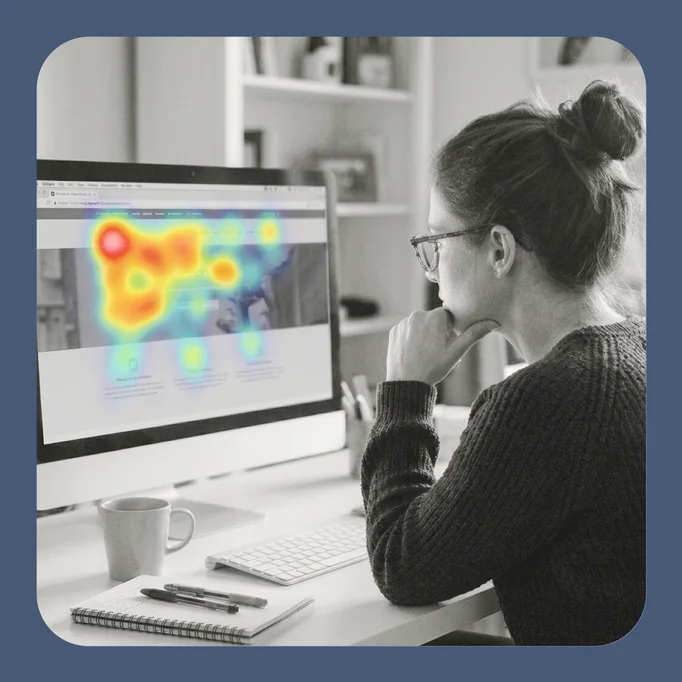
    User interviews are a standard method in UX and product research, and a Labvanced study can combine one with the other measures a UX project uses. A moderated session can start with a conversation, continue with participants working through a live website while gaze, clicks, and hover are recorded with the Web Bridge, and close with a questionnaire on perceived usability. Screen sharing lets participants show you what they see while they talk through it. For the full workflow of testing a live website, see UX Research and Website Testing.


    Popular Research Applications

    These are popular applications of interview studies, settings that combine conversation with measurement:

    • UX and product research: A moderated session can open with an interview, continue with participants working through a live website while gaze, clicks, and hover are recorded, and close with a usability questionnaire. Screen sharing lets participants show what they see while they think aloud. See UX Research and Website Testing.
    • Clinical research: A structured interview can run before or after an assessment in the same study, so the conversation and the measures share one session record. Each participant's recording is stored with the rest of their session data. See Clinical Psychology.
    • Social psychology: Conversations between participants can be part of a joint task, and the call can stay open in the background while the study moves between trials. Multi-user designs coordinate what each participant sees. See Multi-User Studies and Social Psychology.
    • Consumer and marketing research: A short interview can follow a task on a product page or a shop, so what shoppers say can be set beside where they looked and clicked. A closing questionnaire adds ratings in the same session. See Marketing and Consumer Research.

    Social psychology research with Labvanced

    Social Psychology

    Conversations between participants.

    Clinical psychology research with Labvanced

    Clinical Psychology

    Structured interviews alongside assessments.
    UX and website testing research with Labvanced

    UX & Website Testing

    Moderated sessions on a live website.
    Marketing and consumer research with Labvanced

    Marketing & Consumer

    Shopper interviews beside gaze and clicks.


    Setting It Up in Labvanced

    The Video Conference Object is added from the Media group in the task editor, with video conferencing enabled in the study settings, and no code is required. Events control when the call begins and ends, and a participant joining the call can trigger the next step in the study, such as a set of instructions. By default, all participants who add the object join the same meeting, so to run one interview per participant, set a Call ID variable that identifies each call. For the full setup, see the Video Conference Object guide.

    Sign Up

    Frequently Asked Questions

    Can I interview participants live inside a Labvanced study?
    Yes. You and your participants can join a call during the study, with audio, video, and optional screen sharing.
    Is the interview recorded?
    You have the option to record each participant's side of the call as an individual .mp4 file, which you can download from the data view after the session.
    Can I combine an interview with a questionnaire or website test?
    Yes. The call is an object in a task, so it can sit in the same study as questionnaires, experimental tasks, and website testing with the Web Bridge.

    Further Reading

    The Video Conference Object in Labvanced

    Video Conference Object

    Setup, call controls, recordings, and events for the Video Conference Object.
    Icon representing the Labvanced Web Bridge

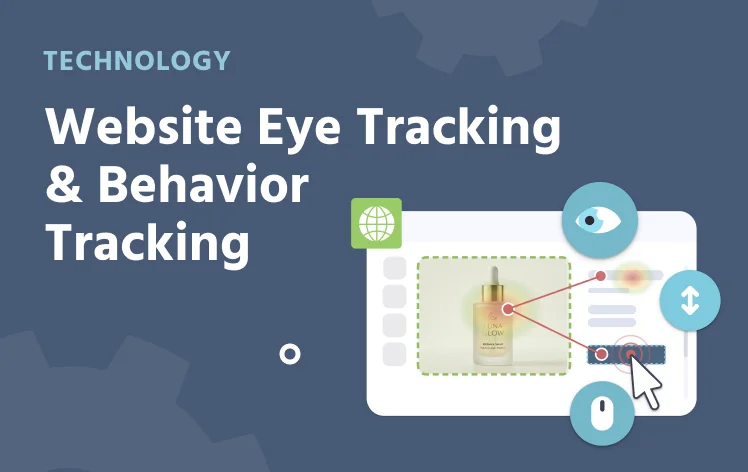
    Web Bridge

    Track gaze, clicks, and hover on a live website inside a study.

    Icon representing audio recordings in Labvanced

    Audio Recordings

    Capture spoken responses directly inside a trial.
    Icon representing the code-free experiment builder in Labvanced

    Code-Free Experiment Builder

    Build studies visually in the task editor, with no programming required.

    Icon representing text transcription in Labvanced

    Text Transcription

    Convert spoken responses to text for analysis.
    Icon representing questionnaires in Labvanced

    Questionnaires

    Rating scales and item responses in the same study.


    Questions about your study design or platform fit?

    Book a Call Write to Us