PostMessage Received Trigger
The PostMessage Received trigger fires when your running Labvanced experiment receives an incoming message from an external source via the browser's postMessage API. Use it to connect your study to a parent webpage, a custom application, or an embedded external website that sends data directly into the experiment.
Table of Contents
Overview
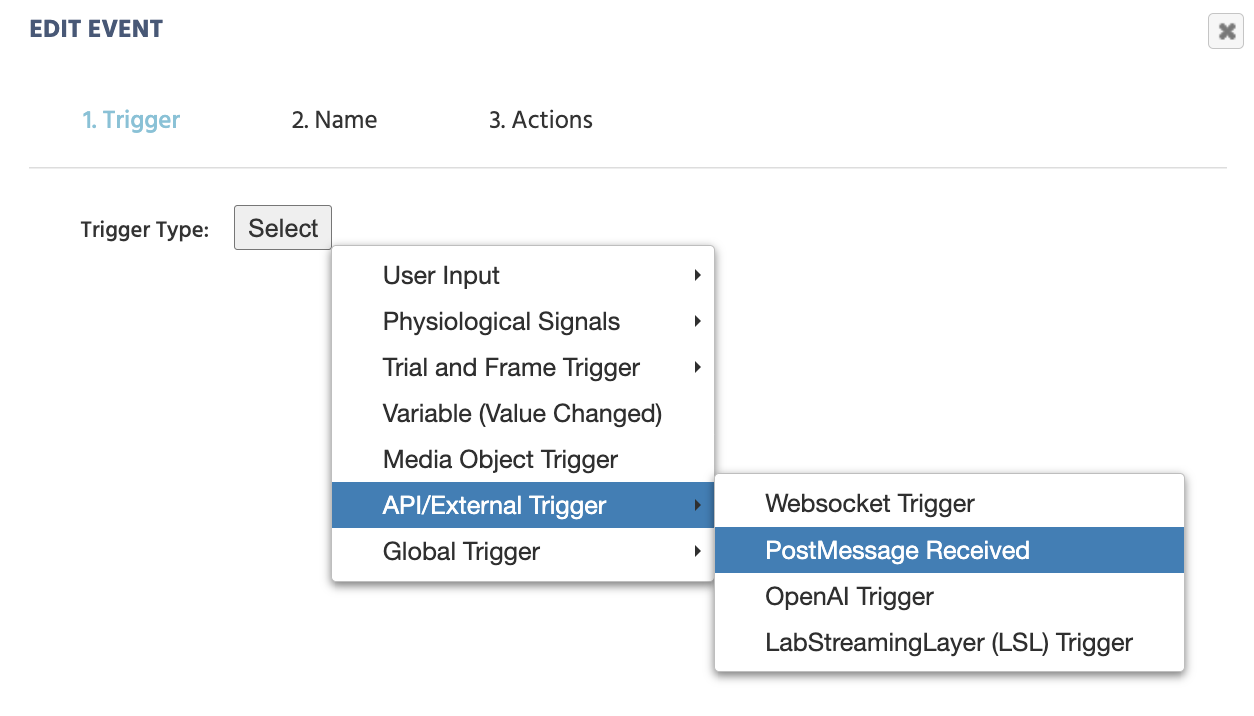
The PostMessage Received trigger can be found listed under the API/External Trigger in the trigger selection menu.
Common use cases
- An embedded website forwarding user interaction events (clicks, form completions) into Labvanced as structured postMessages.
- A parent application (e.g., a custom LMS or institutional web portal) sending a message to advance the experiment or pass in participant data.
- A JavaScript-driven integration where an external script triggers a specific point in the experiment logic.
The Two-Sided Setup
Using postMessage between Labvanced and an external page (such as an iFrame or a parent application) is a two-sided process. Labvanced handles one side: this trigger listens for incoming messages. The other side is the external page, which must be programmed to send those messages.
The postMessage API is a standard browser feature. The external page calls window.parent.postMessage(data, targetOrigin) to send data to Labvanced. You or your developer will need to write that code. An AI coding tool can also help you set this up by giving it the context and generate it quickly if needed.
A common pattern is for the external page to listen for its own user events (such as clicks, form submissions, or sign-ups) and then forward each one as a postMessage to Labvanced. Each event type can be tagged with a label (e.g., click_event, signup_event) using the Key field, so Labvanced can filter and respond to each one separately with its own event.
How it works
When the experiment is running, Labvanced listens for incoming postMessages. Every time a message arrives, it checks two things:
- Origin Domain: does this message come from an allowed source?
- Key: does this message carry the expected key value (if one is set)?
If both conditions are met, the trigger fires and the message payload becomes available as Message Content in your actions.
The external page is responsible for sending the messages. It does this by calling window.parent.postMessage(data, targetOrigin) in its own code. The data it sends can be anything: a plain string, a structured value, or an event label. The Key field in Labvanced is how you match on a specific value of that label to distinguish one type of message from another.
Each message type can have its own dedicated event in Labvanced. For example, one event uses Key: click_event to fire when the external page reports a click, and another uses Key: signup_event to fire when it reports a form submission.
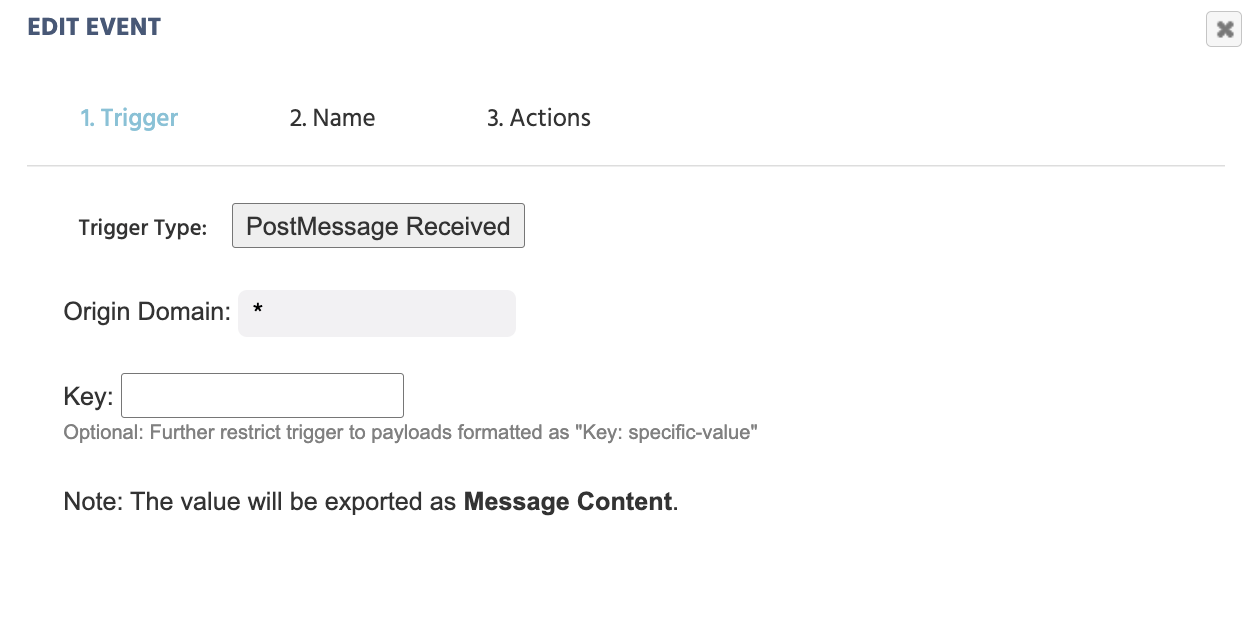
Upon selecting PostMessage Received, the following dialog will appear:
Trigger Options
| Menu Item | PostMessage Received Trigger Options |
|---|---|
Origin Domain | Specifies which domain is allowed to send messages to this trigger. The default value is *, which accepts messages from any origin. To restrict the trigger to a specific source, replace * with the full origin URL (e.g., https://yoursite.com). This is recommended whenever the sending source is known. |
Key | Enter the specific key value you want this trigger to match (e.g., click_event, signup_event). The trigger will only fire when an incoming message carries that exact key value. Leave the field empty to fire on any incoming message, regardless of content. |
Note: The incoming message value will be exported as Message Content and can be referenced in actions via the Value-Select Menu.
Trigger-Specific Values for PostMessage Received
After selecting the PostMessage Received trigger, you can reference the following trigger-specific values in subsequent actions via the Value-Select Menu.
| Value | Description |
|---|---|
Message Content | The data payload of the received postMessage. This is the value sent by the external source and can be stored in a variable, used to drive logic, or recorded as part of your dataset. |
Trigger Timestamp (Unixtime) | The timestamp of when the trigger fired, in Unixtime. |
Trigger Time (From Frame Onset) | Time in milliseconds from the start of the current frame to when the trigger fired. |
Further Reading and Open Materials
- Send PostMessage Action: the paired action for sending a message back to an external source.
- Value-Select Menu: how to reference trigger-specific values in your actions.
- Events Overview: a full introduction to the trigger-and-action logic system in Labvanced.