Send PostMessage Action
The Send PostMessage action sends a message from your running Labvanced experiment to an external target, such as a parent webpage, a custom application, or an embedded frame, using the browser's postMessage API.
Table of Contents
Overview
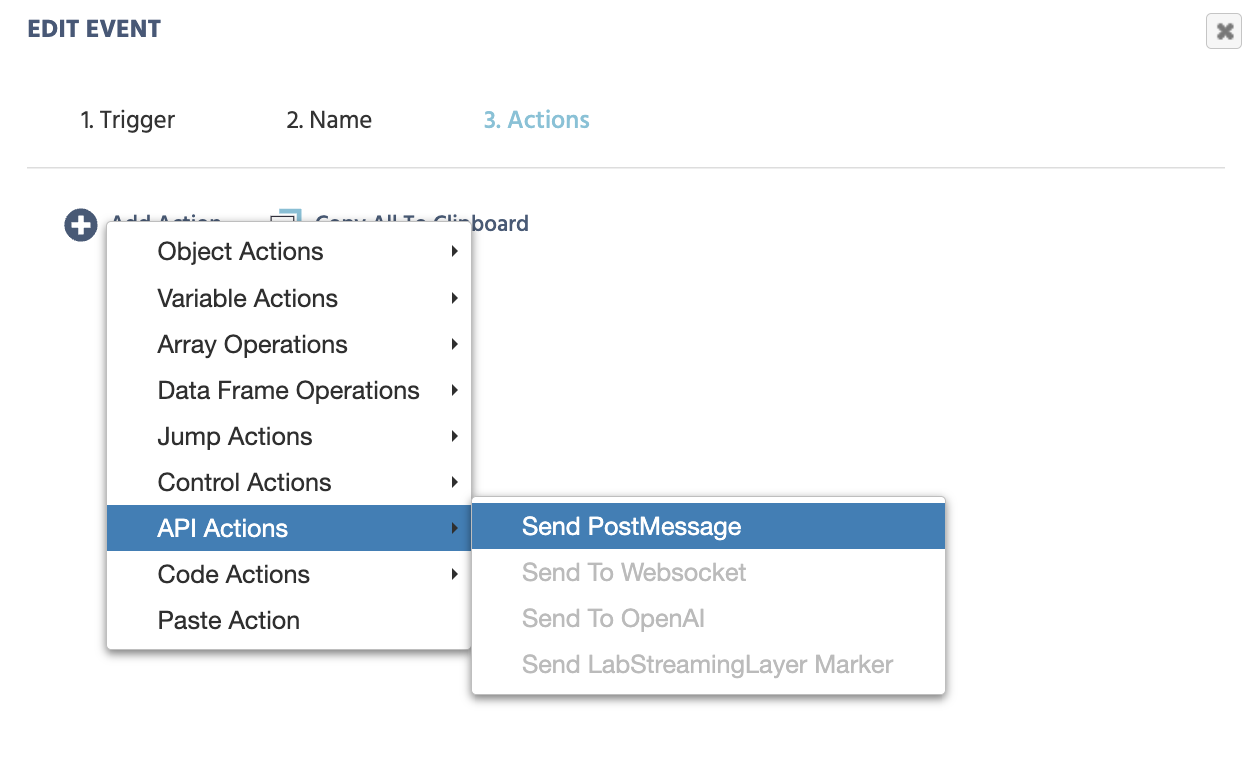
This action is listed under API Actions in the action selection menu.
Common use cases
- Notifying a parent application (e.g., an LMS or institutional portal) when a participant reaches a certain point or completes a task.
- Passing a variable value, such as a score, a response, or a condition label, out to an external system in real time.
The Two-Sided Setup
Using postMessage between Labvanced and an external page (such as an iFrame or a parent application) is a two-sided process. Labvanced handles one side: this action sends the message. The other side is the external page, which must be programmed to receive it.
The postMessage API is a standard browser feature. The external page needs a window.addEventListener('message', handler) listener to pick up messages from Labvanced. That listener should also filter by domain, checking that the message origin is Labvanced, so it only acts on messages from a trusted source. You or your developer will need to write that code. An AI coding tool can help generate it quickly if needed.
How it works
When this action fires, Labvanced sends a postMessage to the target window. The message is delivered to any page at the Destination Domain that is listening with a window.addEventListener('message', handler).
The message payload contains the Value to send. If a Key is set, it is included in the payload so the receiving end can identify the message type and handle it accordingly.
The external page is responsible for processing the message. Its listener should check the message origin before acting on it, to ensure it only responds to messages sent from Labvanced.
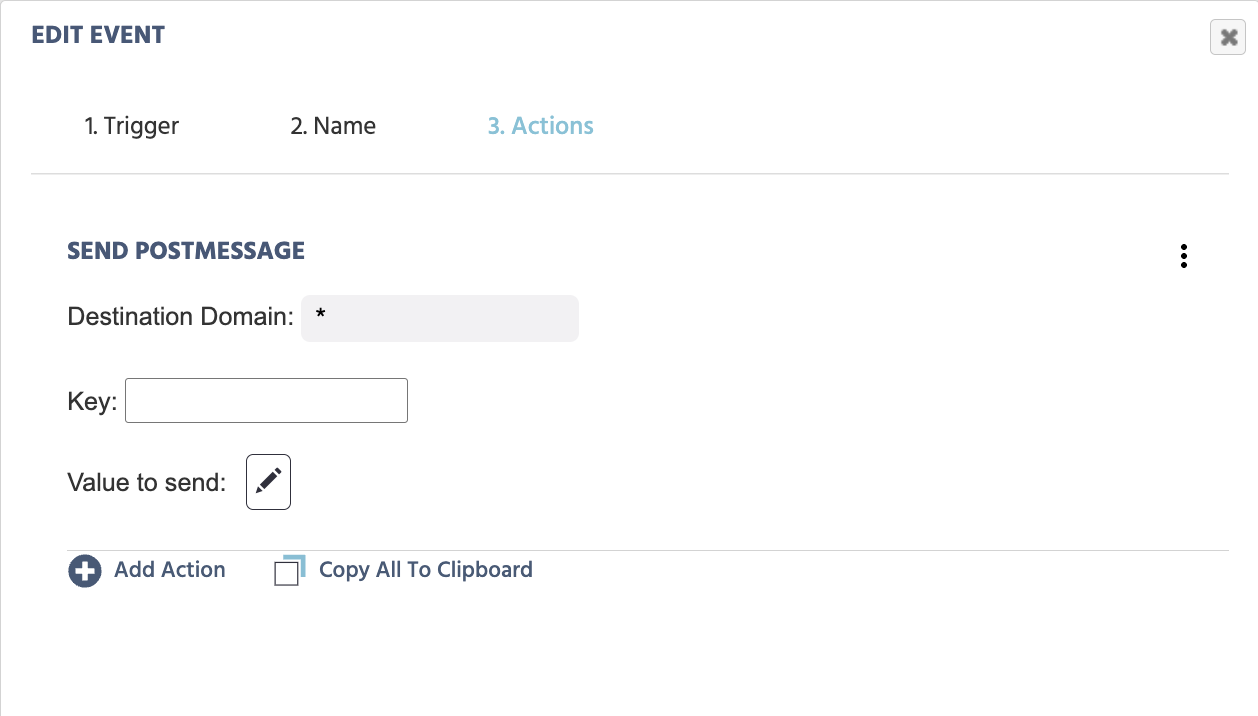
Upon selecting Send PostMessage, the following configuration will appear:
Action Options
| Menu Item | Send PostMessage Action Options |
|---|---|
Destination Domain | Specifies the target origin that should receive the message. The default value is *, which sends to any origin. Replace * with the full target URL (e.g., https://yoursite.com) when the destination is known. Specifying the exact domain is recommended for security. |
Key | Attaches an identifier key to the outgoing message. This structures the message payload as Key: value, which the receiving end can use to distinguish different types of messages. Leave empty if no key is needed. |
Value to send | Defines the data to include in the outgoing message. Click the edit icon to open the Value-Select Menu and specify what to send: a constant value, a Labvanced variable, or an expression. |
Note: The system receiving the message (the parent page or external application) must implement a window.addEventListener('message', ...) listener to handle the incoming postMessage from Labvanced.
Further Reading and Open Materials
- PostMessage Received Trigger: the paired trigger for listening to incoming postMessages from external sources.
- Value-Select Menu: how to define what value to send using variables, constants, or expressions.
- Labvanced Web Bridge Extension: context on how postMessage is used for communication with embedded external websites.
- Events Overview: a full introduction to the trigger-and-action logic system in Labvanced.