Gamepad / Joystick Trigger
The Gamepad/ Joystick Trigger allows you to make use of gamepad and joystick controllers in your experimental design as an input device for recording data. Note: remember to enable this option under the Settings tab.
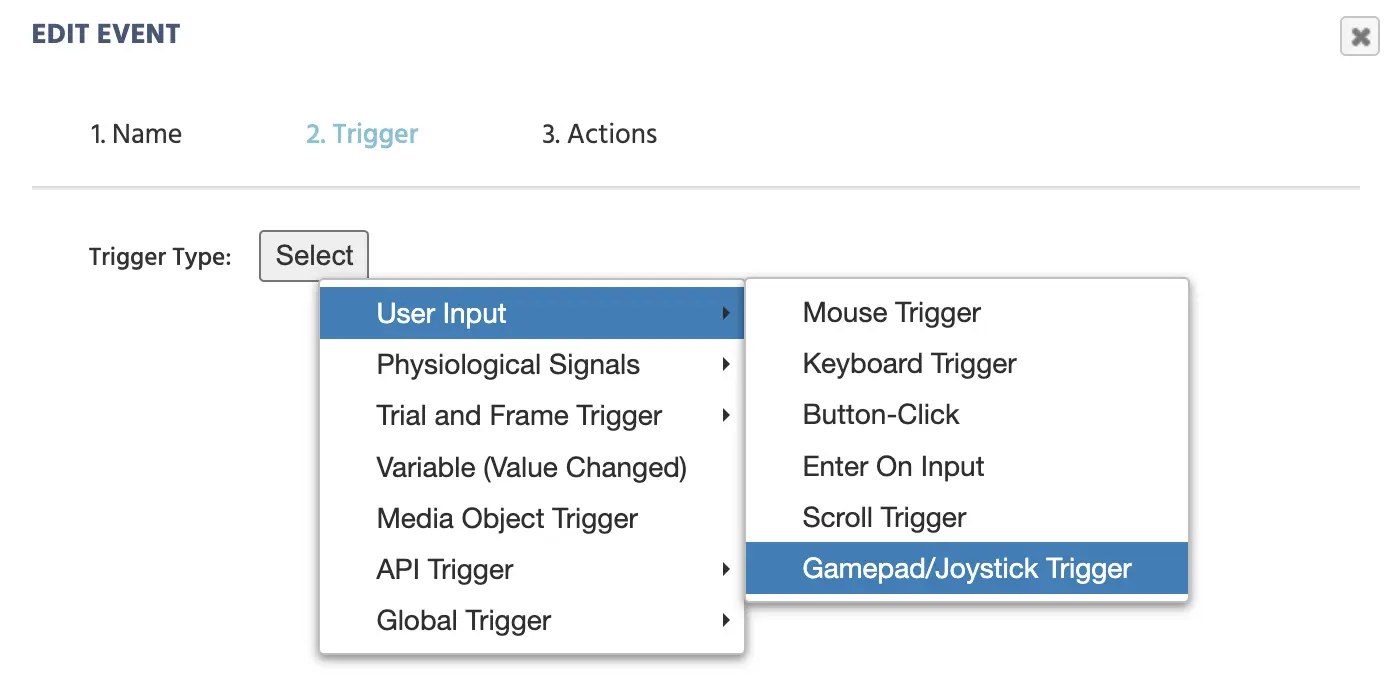
Upon selecting this trigger, the following dialog box will appear.
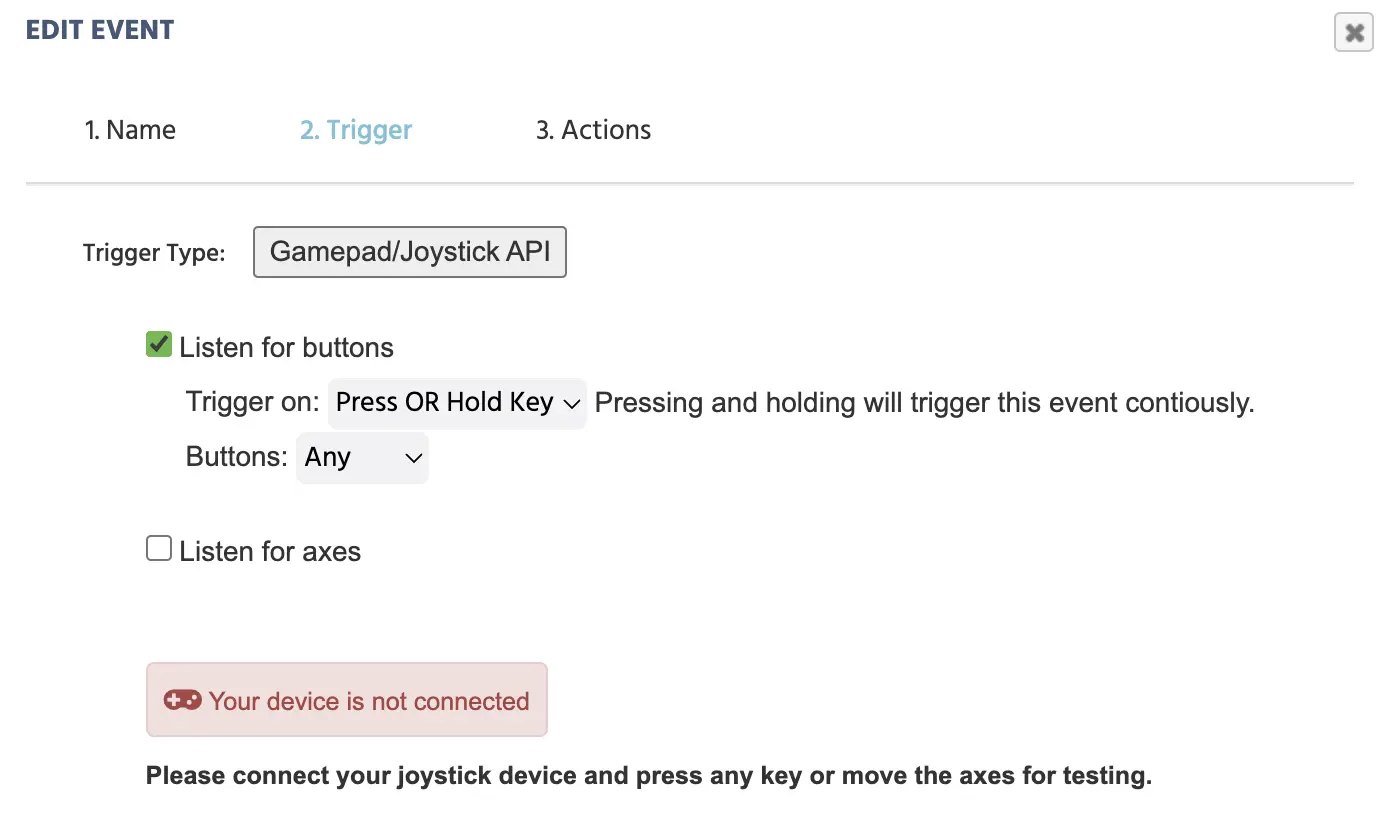
Upon connecting your gamepad, you can specify what specific keys should be used as triggers. Upon pressing the particular key, the system will display its ID.
In the example below the 2 refers to the ◎ key and 3 refers to the ▵ key. Note: It’s important to say that there is some variation between game pads in how key ID assignment works.
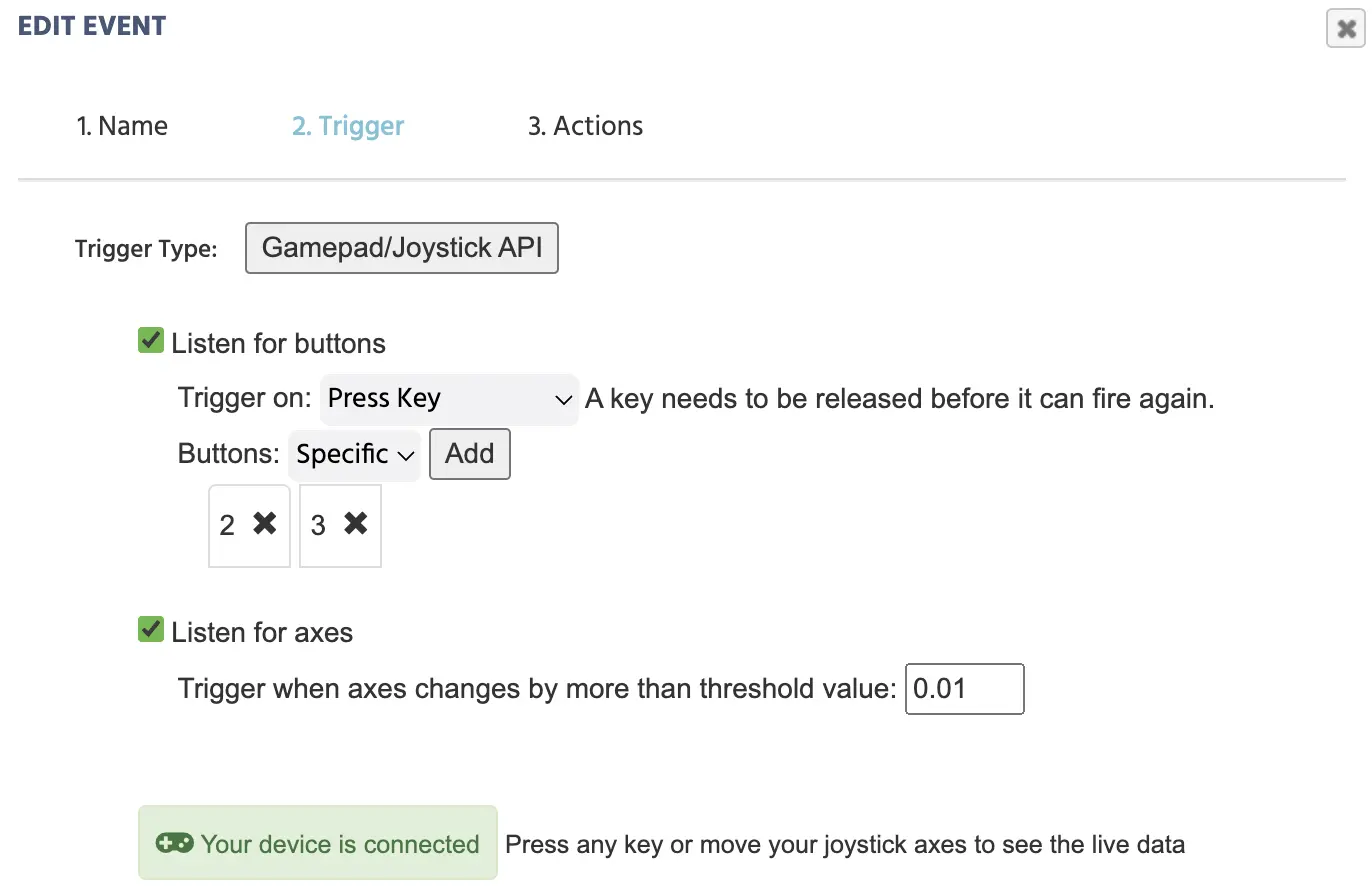
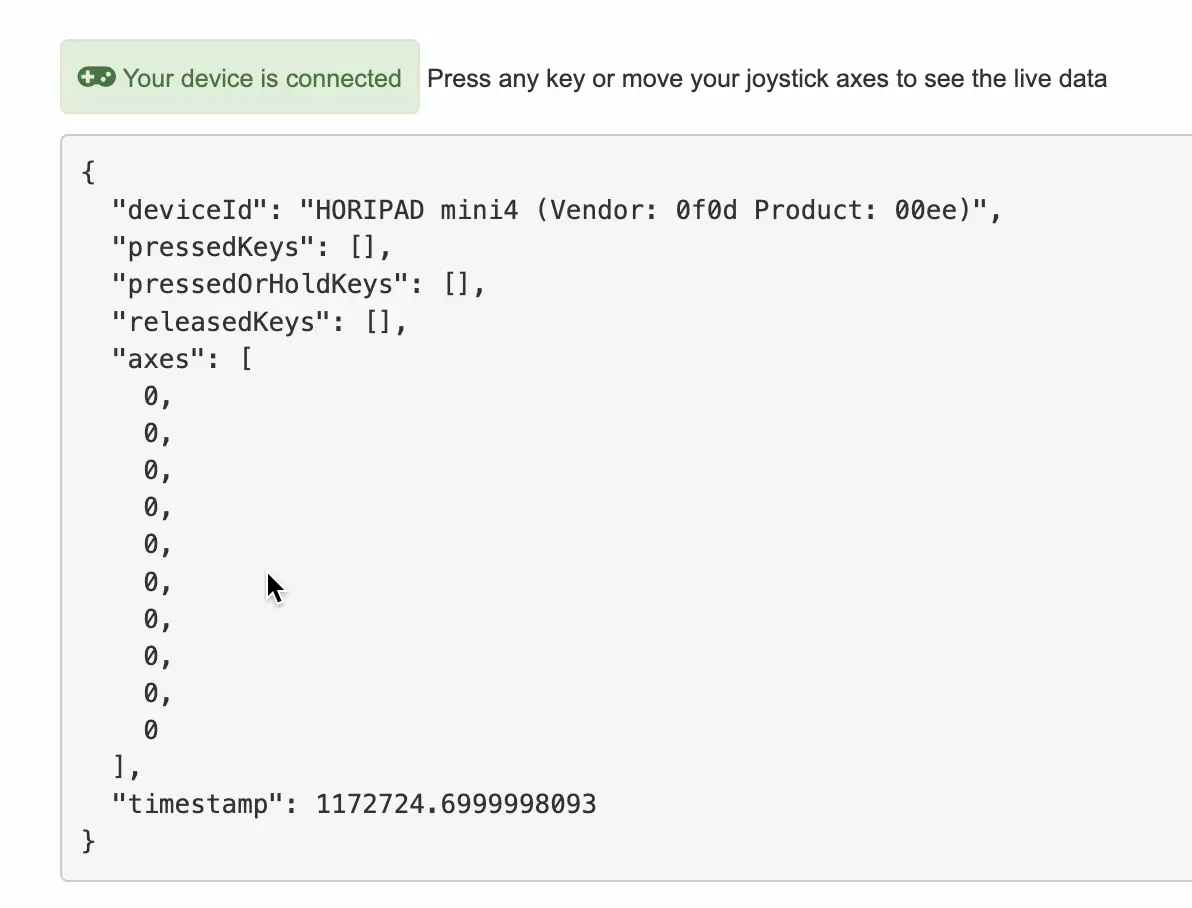
As a result of pressing a key, the live data will also appear in the second half of this trigger dialog box where you can see how the values change in real-time based on what you press or release:
Take a look at this walkthrough for more details and an example of a study that utilizes this trigger.
The table below explains these options in greater detail.
| Menu Item | Menu Area | Gamepad / Joystick Trigger Options |
|---|---|---|
Listen for buttons |  | I.) Specify the trigger is button-related and whether its on press key, press or release key, or release key. II.) Specify if the trigger is for any button or a specific button. If the specific option is selected, you will be prompted to press the button(s) on your gamepad. |
Listen for axes |  | If axes movements are required, then you can specify that the trigger will occur whenever the threshold changes by a specific value. The default value is 0.01. |
| Connection status |  | Indicates whether a device is connected or not. |
| Live data stream | 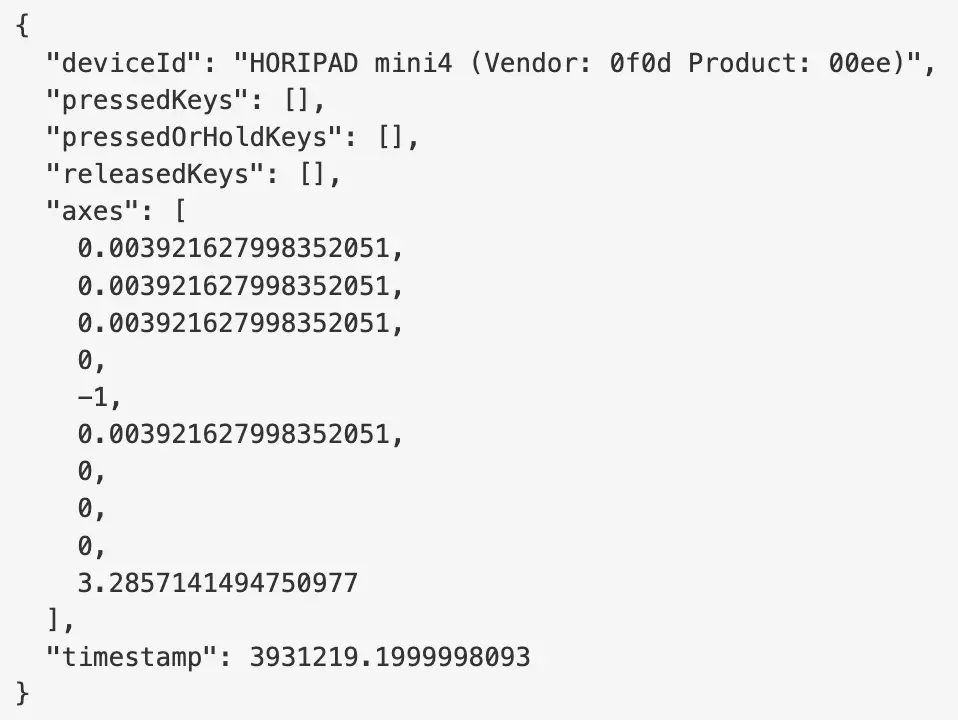 | Upon connecting the device and pressing a key or moving an axes, then the live data will be displayed where any input you make on your device will be displayed here. This is useful for testing when setting up your study and determining which keys or axes you want to utilize. |
Note: After selecting the Gamepad / Joystick trigger in the event system, you have the option of utilizing and referencing its trigger-specific values across various actions with the value-select menu.
Trigger (Gamepad/ Joystick) Values
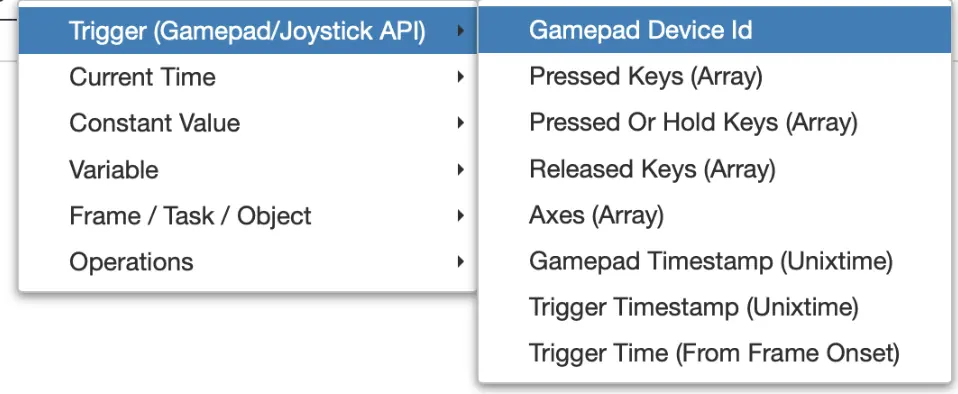
When a Gamepad/Joystick trigger is used, the following trigger-specific values can be called on when working with certain actions:
| Trigger (Gamepad/ Joystick) Options | Description |
|---|---|
Gamepad Device Id | The ID or name of the gamepad that was connected. |
Pressed Keys (Array) | The keys that were pressed. |
Pressed OR Hold Keys (Array) | The keys that were pressed or held. |
Released Keys (Array) | The keys that were released. |
Axes (Array) | The axes values. |
Gamepad Timestamp (Unixtime) | The gamepad timestamp in Unixtime. |
Trigger Timestamp (Unixtime) | Timestamp of when the trigger occurs in Unixtime. |
Trigger Time (From Frame Onset) | Timestamp in Unixtime of when the trigger occurs with relation to the onset of the frame. |