
Canvas Frame
A Canvas Frame gives free control over layout: objects can be positioned anywhere on the frame, at exact coordinates, and rescaled or moved with drag and drop. Use this frame type when the precise position of your stimuli matters, for example in visual perception tasks, reaction time tasks, or any study where fine-grained control over where things appear on screen is needed. This positioning also stays under event control after the frame is built, for example an object's x, y, width, and height can be set or changed by events, which is not the case for objects placed on a Page Frame.
Note
For studies that need to collect behavioral data on a real external or custom website instead of Labvanced-built stimuli, a Website Frame is used instead of either Canvas or Page Frame.
The canvas can also be zoomed in and out with the mouse scroll wheel, or a two-finger scroll gesture on a trackpad, useful when working with precisely positioned small elements. If you are on a MacOS, you may need to review your system settings under Settings -> Appearance -> Show scrollbards.
Canvas Frame properties
Set in the Frame Settings panel:
Name: a label to identify the frame within your task (participants never see it)Duration: an optional fixed display time in milliseconds; if left unset, the frame stays on screen until an event or action advances itColor: the frame's background color (default: White)Hide Mouse: hides the participant's cursor while the frame is activeWidthandHeight: the size of the frame, in Design Units (Canvas Frame only)Sync Frame Start: appears only once the task is converted to a multi-user experiment (shared with Page Frame, not available on Website Frame); when enabled, the frame waits for every participant in the group to be ready before starting, instead of each participant starting it independently. See Multi-User Experiment Design for how this fits into a joint study.
When to use Canvas over Page
Choose a Canvas Frame when stimulus position or timing precision matters to the design, reaction time tasks, visual search, spatial cueing, anything where "where on screen" is part of what's being measured. For form-like, top-to-bottom content such as questionnaires or instructions, a Page Frame is usually the better fit.
Why a Trial Can Look Generic: the Trial System
Opening a study from the Library, the objects on a Canvas Frame can sometimes look generic: placeholder shapes, plain colors, or default text rather than the study's real stimuli. This happens when the study sets its actual stimuli per condition rather than directly on the frame; what's showing is the Default Trial, a default template for the trial, before any condition-specific content has been applied.
Condition-specific content comes from the Trial System: factors and levels are crossed to generate conditions, and an object on a Canvas Frame, its position, uploaded image, color, or text, can be set to a different value in each condition. The frame itself still shows its default objects until a condition is selected; clicking a specific row in the condition table swaps those objects to that condition's actual values.
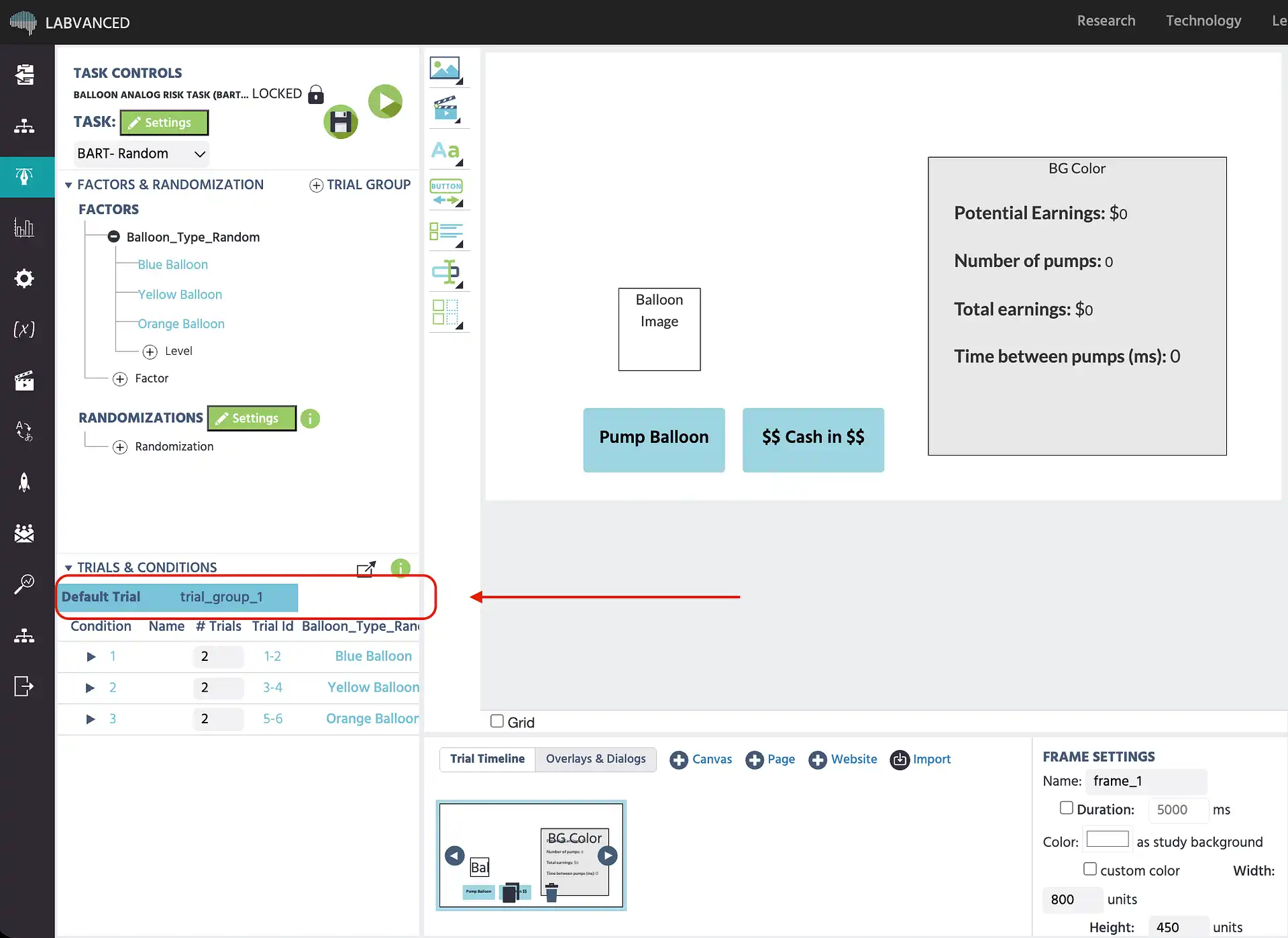
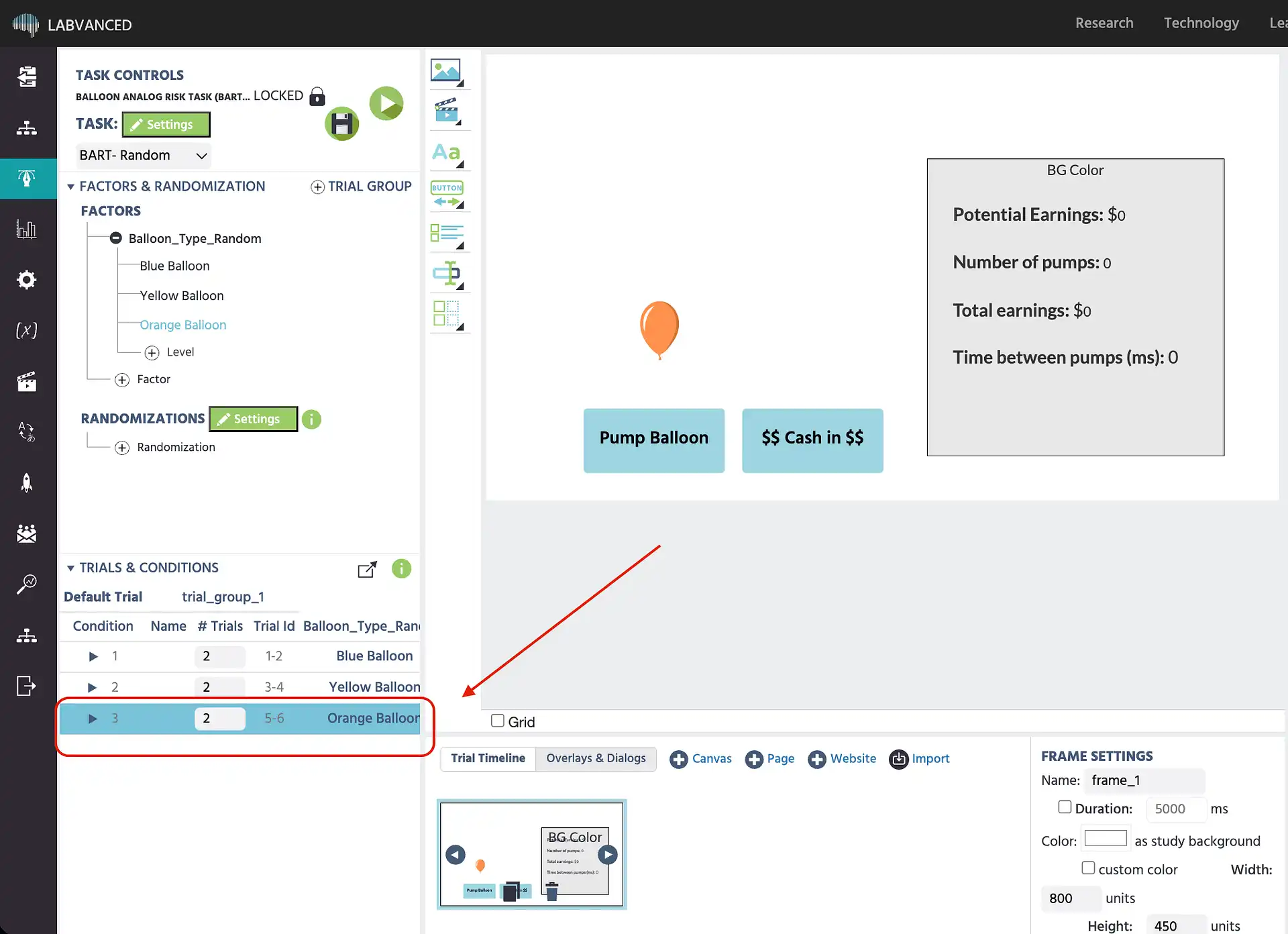
The Balloon Analog Risk Task (BART) is a live example of this: the balloon's color and pop risk are condition-specific values driven by the Trial System, not properties set once on the default trial.
This study measures risk-taking behavior using the BART. Participants pump a virtual balloon to accumulate earnings, balancing potential reward against the risk of the balloon popping and losing all gains for that trial. Pump count, trial outcome, and earnings are recorded as performance indicators.
Further Reading
Frames
The hub for all frame types and the properties every frame shares.
Page Frame
The automatic top-to-bottom layout frame type, for questionnaires and form-like content.

Website Frame
Embeds a real external website in the study, for behavioral data collection on an external or custom site.

The Event System
Triggers and actions that control stimulus presentation, record variables, and advance frames.
Trial Timeline
How frames are sequenced and repeated within a trial, and the Trial System's per-condition editing.

The Trial System
How factors and levels cross to create conditions, and how the Default Trial relates to condition-specific content.