Page Frame
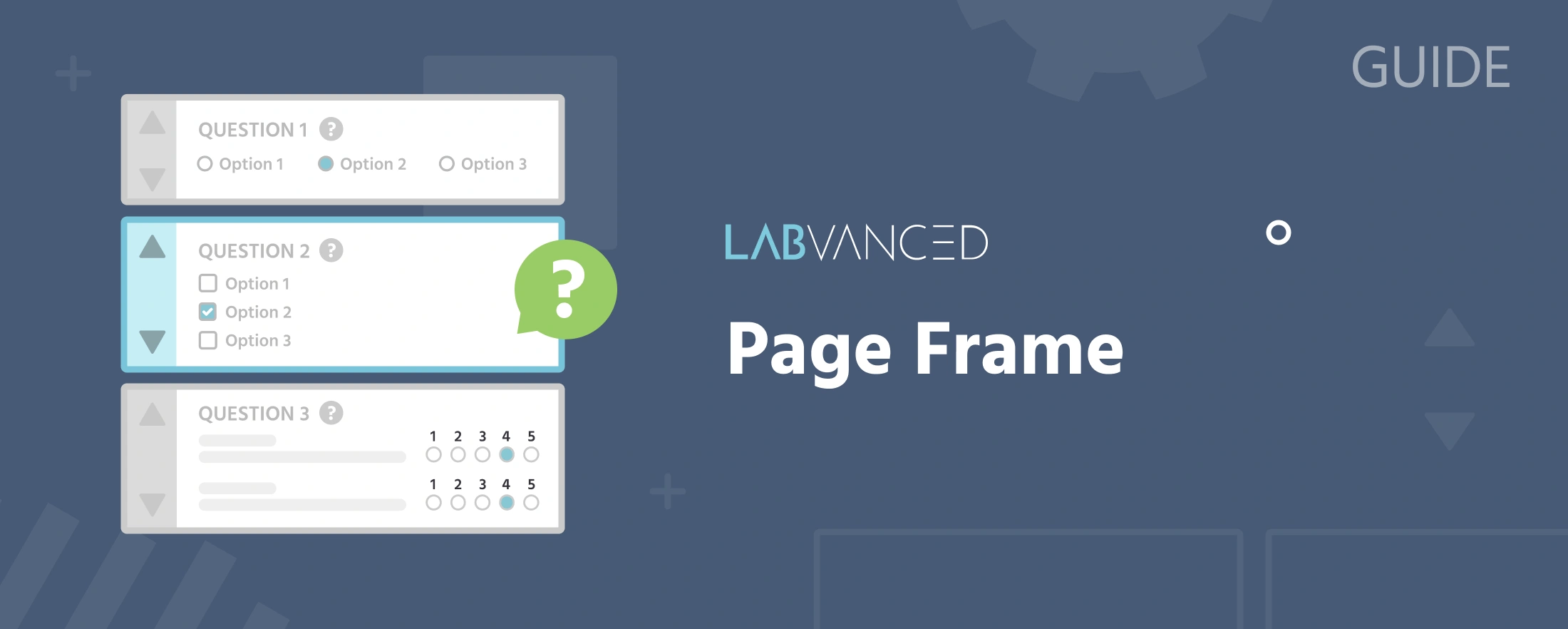
A Page Frame arranges content automatically from top to bottom, the way elements stack in a typical page layout. Objects cannot be positioned freely; instead they flow below each other in a list format, with vertical order changed by drag and drop. This makes Page Frames well suited to questionnaires, consent forms, and instructions, where layout flexibility matters less than readability and flow.
Instead of zooming in and out like a Canvas Frame, a Page Frame is navigated by scrolling. Instead of grid lines, a preview mode (checkbox below the frame) shows how the page will actually look during experiment execution.
Page Frame properties
Set in the Frame Settings panel:
Name: a label to identify the frame within your task (participants never see it)Duration: an optional fixed display time in milliseconds; if left unset, the frame stays on screen until an event or action advances itColor: the frame's background color (default: White)Hide Mouse: hides the participant's cursor while the frame is activeMax-Width: the maximum width of the page content area, in pixels (Page Frame only)Border-Size: the border size of elements within the frame (Page Frame only)Elem Margin: the spacing between elements within the frame (Page Frame only)Sync Frame Start: appears only once the task is converted to a multi-user experiment (shared with Canvas Frame, not available on Website Frame); when enabled, the frame waits for every participant in the group to be ready before starting, instead of each participant starting it independently. See Multi-User Experiment Design for how this fits into a joint study.
Note
If you want to change the surrounding color from the default light blue, you can set it for the entire study via Settings → Main → Settings → Page Surround Color, or if you need to vary it by task, use the Set Global CSS action.
When to use Page over Canvas
Choose a Page Frame when the content is form-like and reads top to bottom, questionnaires, consent forms, instructions, anything where readability and flow matter more than exact stimulus placement. When precise positioning or timing is part of the design, a Canvas Frame is the better fit.
Commonly Paired With
Two objects are especially common on a Page Frame. Adding either one prompts a setup wizard that can create its most common events for you automatically, no manual event building required:
- Timer Object: can automatically set up
Start timer on frame startandJump to next frame when timer ends. - Navigation: can automatically set up
Go ForwardandGo Backwardevents to move between frames.
Further Reading
Frames
The hub for all frame types and the properties every frame shares.
Canvas Frame
The free-positioning frame type, for precise stimulus placement and timing.

Website Frame
Embeds a real external website in the study, for behavioral data collection on an external or custom site.

The Event System
Triggers and actions that control stimulus presentation, record variables, and advance frames.
Trial Timeline
How frames are sequenced and repeated within a trial, and the Trial System's per-condition editing.